Class Hours: 10:05 – 2:40
Mr. Bohmann | wbohmann@ewsd.org
10:05 Today’s Notes & Attendance
- Parking Permit reminder – fill out if you want parking – found on CTE Website
- Pimp your workstation – yes, your desk is yours to decorate – be tasteful – budget$ – Yes
- Before class begins, be sure to have installed Photoshop and Illustrator!
10:10 Working with Vector Graphics
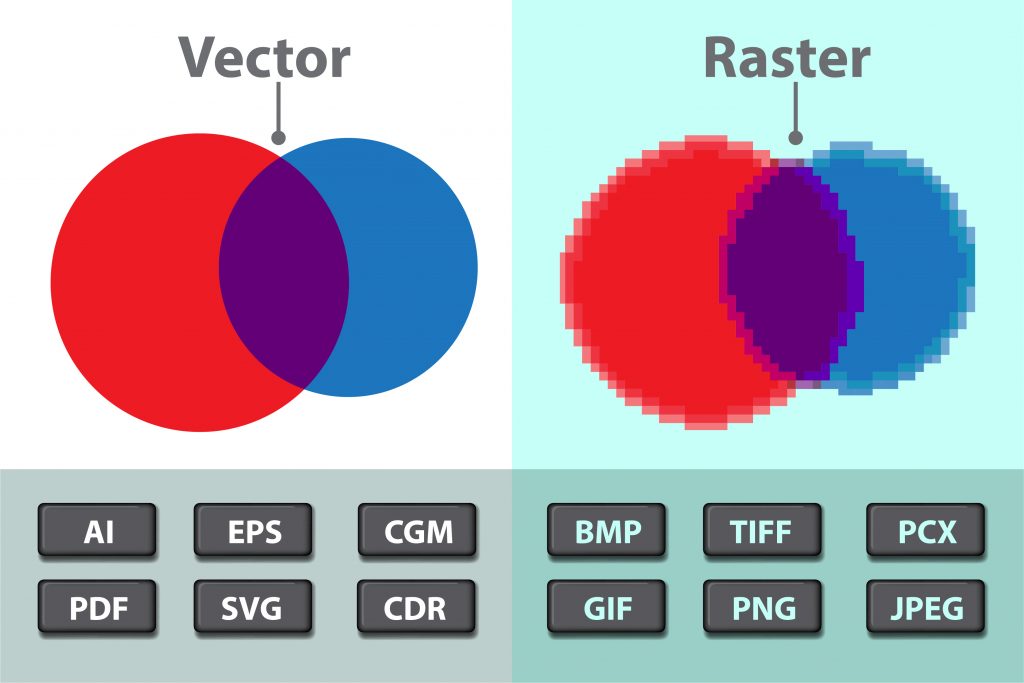

Adobe Illustrator is a vector graphics program. Vector graphics are scalable and do
not lose quality as they are sized up and down. Logos, web icons, clip art are all excellent for scalability because they do not contain pixels.
Adobe Photoshop is raster based and uses pixels to create images. Photoshop is an excellent tool for editing and creating photos and raster based art.
Let’s look at an image in photoshop and some artwork in Adobe Illustrator to see the difference.
Throughout this year we will be building media for the web and for games so we’ll be using both Adobe products (Illustrator and Photoshop) extensively. We’ll also get familiar with Adobe Bridge for file management and Camera Raw for adjusting levels of our photos and pixel manipulation.
Let’s jump in to Illustrator. Today we’ll explore:
Essentials or Essential Classic workspace
Art boards / Customizing Art boards
Selection tools, shape tools and pen tools practice
Alignment Practice
Colors, lines and text basics
Layers
Transform: Scale & Rotate | transform each
Pen Tool allows you to make flowing Bezier curves. The longer the handle, the more power in the curve
Using the modifier key ALT will break the path. Begin by pressing and pulling when using the pen tool.
Use the Curvature Pen Tool to Draw straight lines and smooth curves with precision and ease instead of drawing and modifying paths using Bezier curves.
Lines and Curves Practice
We’ll also look at color.adobe.com for interesting color palettes and look the Extract Theme feature for getting access to your favorite color palettes.
10:50 Morning Break (10 minutes)

11:00 Optimizing the User Experience (UX) with Good Design…
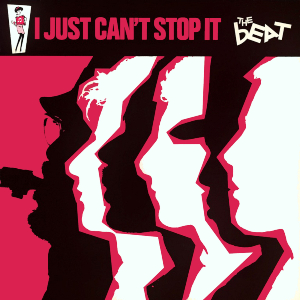
C.R.A.P stands for contrast, repetition, alignment and proximity. These are the four principles of design used by graphic designers, web designers and digital learning experts. Good UX (stands for User Experience) and Good UI (User Interaction) include these principles.
C.R.A.P. Cheat Sheet
Activity – C.R.A.P Scavenger Hunt and Illustrator Tool Blitz
Smart Guides and Rulers
Working in Adobe Illustrator: Deliverables
- Set up a new document 640 x 480 pixels (create 4 art boards), RGB
- Identify a design principle for each art board, add text to identify it
- Find a good example of each principle (could be from a video game, movie poster, app, book cover, website and place on the correct art board
- For at least one of your principles – create it yourself – you recreate something you find in your search
- Test out effects and tools as you create your document
- As you add items to your art board, keep CRAP in mind for your whole document
- 11:45 we’ll do a gallery walk of your work.
Save as PDF: Filename: CRAP_Lastname and drop in the dropbox in Google Classroom
11:55 Lunch

12:25 English with Mx. Yopp
1:10 Afternoon Break
1:25 Speed Design

1:45 Independent Production & Guided Support
For this week – use this time to make sure all your systems are a go. You can access email, google classroom, recent Blender, set up tablet and drivers.
Download and Install Premiere and After Effects if you have not done so already.
Next week we’ll kick off with our first rounds of grade worthy work. Use the remaining time today to work / create in your program of choice and we’ll have a look at your work during dailies.
2:10 Dailies

2:15 Independent Reading
2:40 Dismissal