Class Hours: 10:05 – 2:40
Mr. Bohmann | wbohmann@ewsd.org
10:05 Today’s Notes & Attendance
- CCV Friday
- CCV Lunch form if you want lunch fill out this lunch form
- No school on Monday 9/21
- Install After Effects
10:10 Aperture and Shutter Priority in Photography
Aperture Priority mode, you have control over the Focal Length which is referred to as the lense field of view. Cheat Sheet
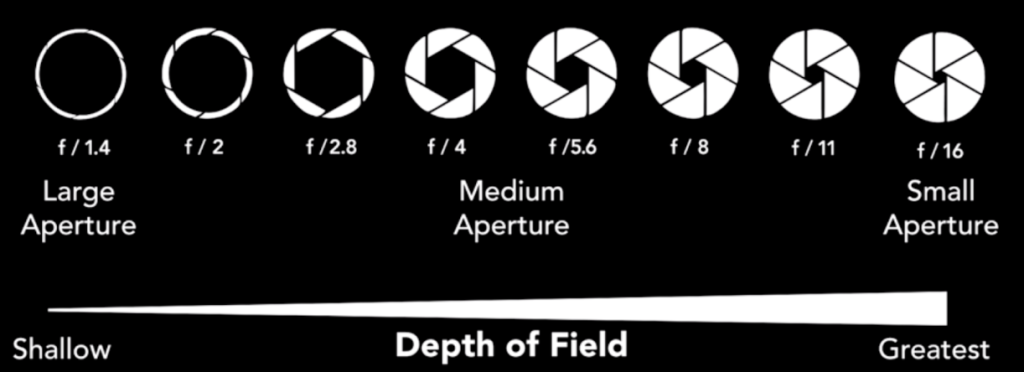
A small f-stop number (f2) means a small depth of field and large f-stop number (f22) means a large depth of field. A nice blurry background is more pronounced when we have our primary subject close and it fills the frame while using a small f-stop number. Our prime lens goes all the way to f/1.8!
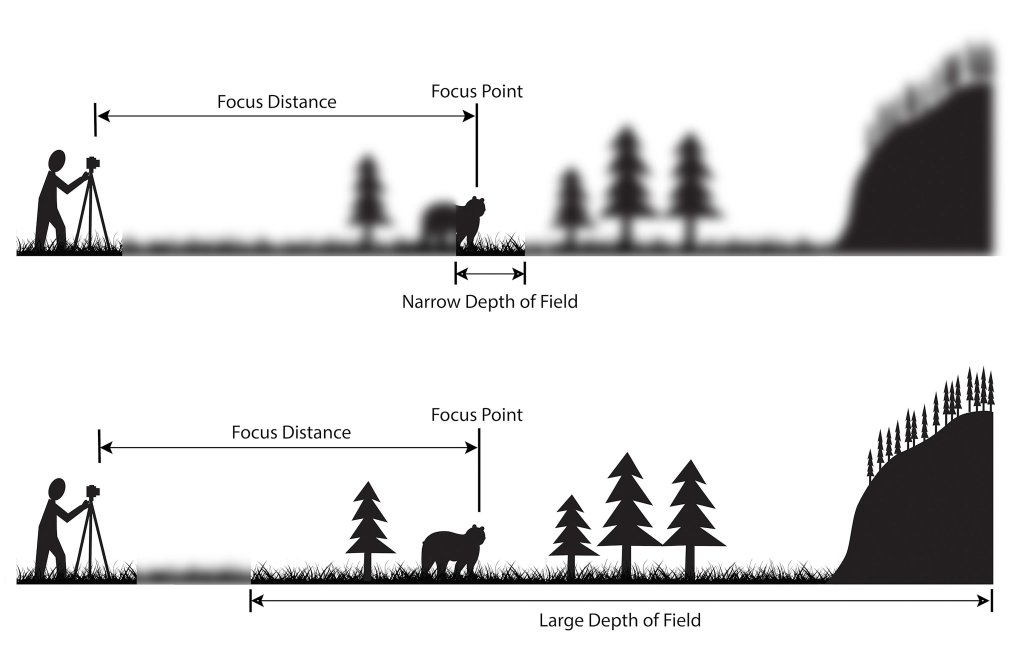
large f/stop numbers create a deep depth of field as seen in the second image
Working in Shutter Priority
In class let’s look at your camera settings for shooting in Shutter Priority mode. Opposed to aperture, shutter priority is all about light and stopping / blurring action
Big Questions?
- How does light impact your images when shooting in Shutter Priority?
- How can you eliminate camera shake?
- What is the exposure triangle? For that matter, what is exposure?
Activity: Using Shutter Priority and with a partner, Capture:
- Partner running – freeze action
- Partner running – blur action
- Partner jump – freeze action
- Partner jump – blur action
- Close Up of flower with slow shutter speed
- Close Up of flower with fast shutter speed
- Slow shutter camera swirl
Return to the classroom, import and review. Practice using Adobe Bridge to review your shots and to do some editing with Camera Raw or Photoshop.
Before Production, post your favorite shot of the bunch… Be prepared to say why?
10:50 Morning Break (10 minutes)

11:00 Photoshop Photo Retouching / Editing

Photoshop is the tool to use for photo restoration. I’ve seen freelancers make good money working on repairing old photos and preparing them for digital archival.
For fun, I tried putting this photo into Chrome’s AI Gemini. The AI did a pretty good job but there are still issues to address. So while the tech might be out there, the human touch is still necessary….
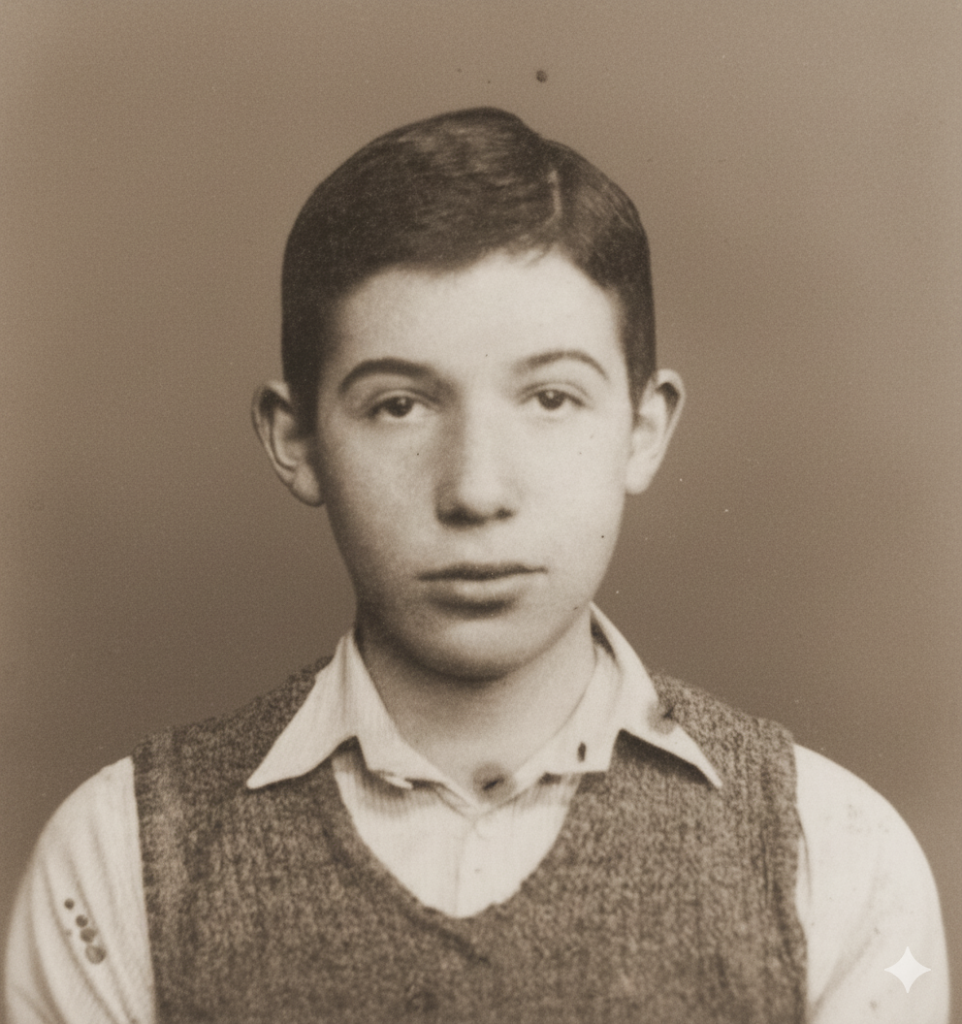
We’ll explore the process of touching up photos today. The techniques used translate into the post processing work you are/can do with the photos you are taking in class.
Here is a final version that I did using only Photoshop Tools: Repair, patch, clone stamp, groups, masks, adjustment layers
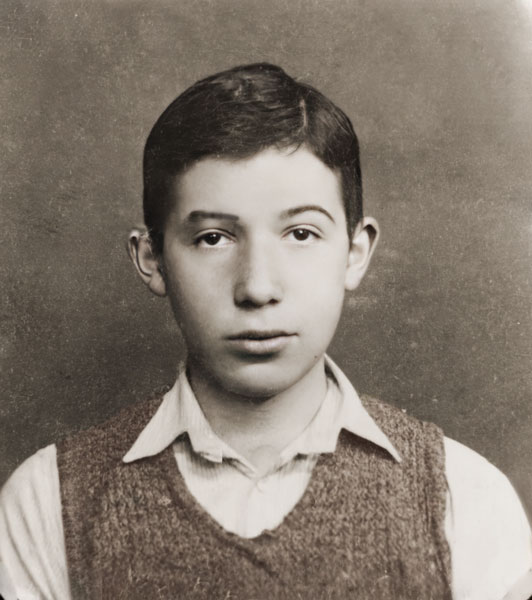
This original photo is located in GAWD2 Folders/Adobe/Photoshop/PhotoEditChallenge. Let’s practice together
11:55 Lunch

12:25 Photo Assignment – Out and About
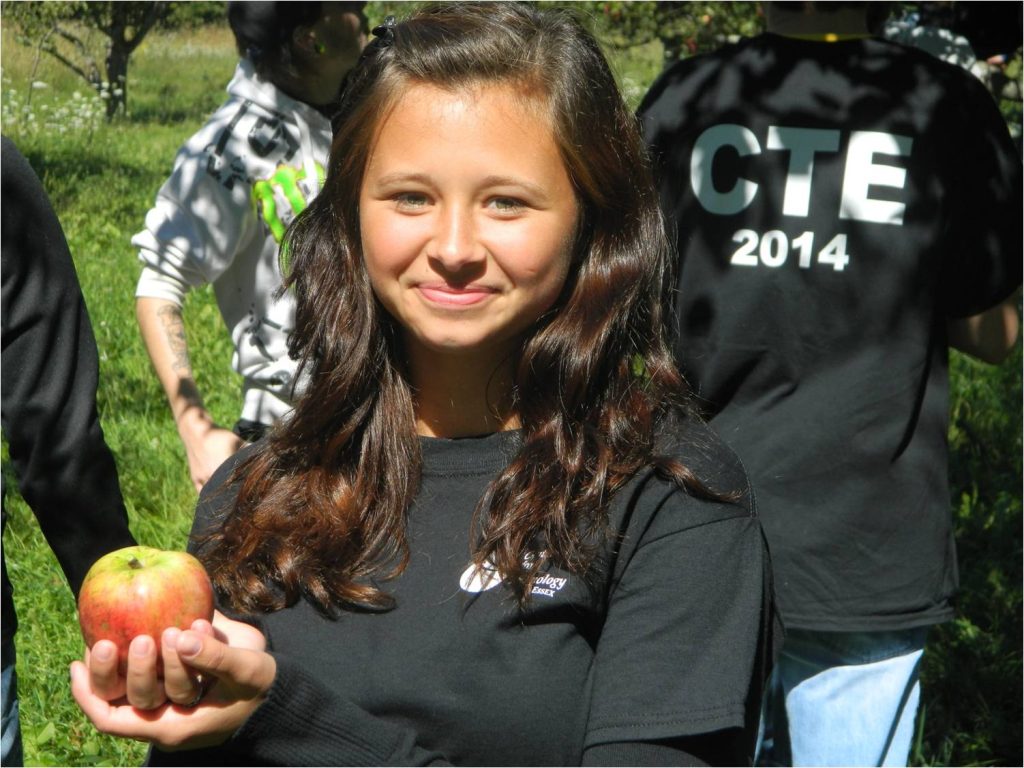
Photo Walk
It’s a nice day and taking pictures is excellent practice to get better at photography. Try to get 10 excellent photos.
- You must have a photo of an apple with soft/blurred background
- A Tree in full frame
- Someone picking an apple
- The rest of the shots are up to you….
Photo Walk Assignment Objective:
Through your lenses, you will seek to reveal the charm of an apple orchard (hopefully there are apples) and other elements of nature from our walk.
Some Guidelines to assist you – having a plan is a good plan!
Creative Perspectives: Don’t just photograph apples and nature shots; frame them in unique and unexpected ways. Experiment with angles, lighting, and compositions to add an artistic touch to your shots.
Moods and Emotions: Capture the emotions that orchards evoke. Whether it’s the joy of apple picking, the solitude of a quiet morning, or the nostalgia of a rustic scene, make your viewers feel the orchard’s ambiance.
Textures and Details: Get up close and personal with the orchard’s elements. Highlight the textures of leaves, the dew on apples, or the roughness of tree bark to add depth to your portfolio.
Seasonal Palette: Embrace the changing colors of the season. Take time to edit your photos to capture the feelings your photos provide.
When we get back, use the time that is left to review your photos using Adobe Bridge. Put together a slideshow and we’ll look at during dailies today.
1:10 Afternoon Break
1:25 Speed Design

1:45 Independent Production & Guided Support
- Personal Logo Sketches – 5Pack due Thursday, September 17th
- Shooting a Feature – due September 22nd (Filename: Shooting_a_Feature_lastname.jpg)
- Agency Week Three – due September 22nd (filename: week3Agency_lastname)
- Round 2 of Sweatshirt Designs
- Johsua
- Isaac
- Sawyer
- Sweatshirt Color Survey
- Find Five Printer/Vendors
2:10 Dailies

2:15 Independent Reading

2:40 Dismissal