Class Hours: 10:05 – 2:40
Mr. Bohmann | wbohmann@ewsd.org
10:05 Today’s Notes & Attendance
Wacky Wednesday
- CCV Class Friday – Lunch order
- Sweatshirts arrived – just in time for the cold weather
- Two more days! You all deserve a good break
10:10 Web – Inline and Block and Border Box

Divs are nothing more than boxes. In fact, all of the elements you are using are basically boxes.
Some elements (boxes) take up the whole page left to right (we call those block elements!) Some examples of block level elements are: paragraphs, headings, lists, address, blockquotes, div, articles, sections, header, footer, form
Some elements are inline and take up a box or space (in the line) of the content they are found. Some examples of inline elements include b, em, var, button, label, span, abbr, small
Let’s tackle an issue out there that you might come across – border-box
By default, the width and height of an element is calculated like this:
width + padding + border = actual width of an element
height + padding + border = actual height of an element
If you think carefully, this can create a problem when trying to line up content on a webpage. If you set a width and height of an element to say 200px and add padding of 5px and a border of 1 px = well you may have a problem because the width and height of your box is no longer 200px!
Let’s build an example in CodePen together to see how this works. Then, let’s fix the problem.
To the rescue! – is the asterisk (*). The asterisk will apply a property and value to all elements. We will declare this in our Stylesheet. The *:before and *:after means this rule will apply to any pseudo elements too
*, *:before, *:after {
box-sizing: border-box;}
10:50 Morning Break (10 minutes)
11:00 Modular Dungeon Modeling
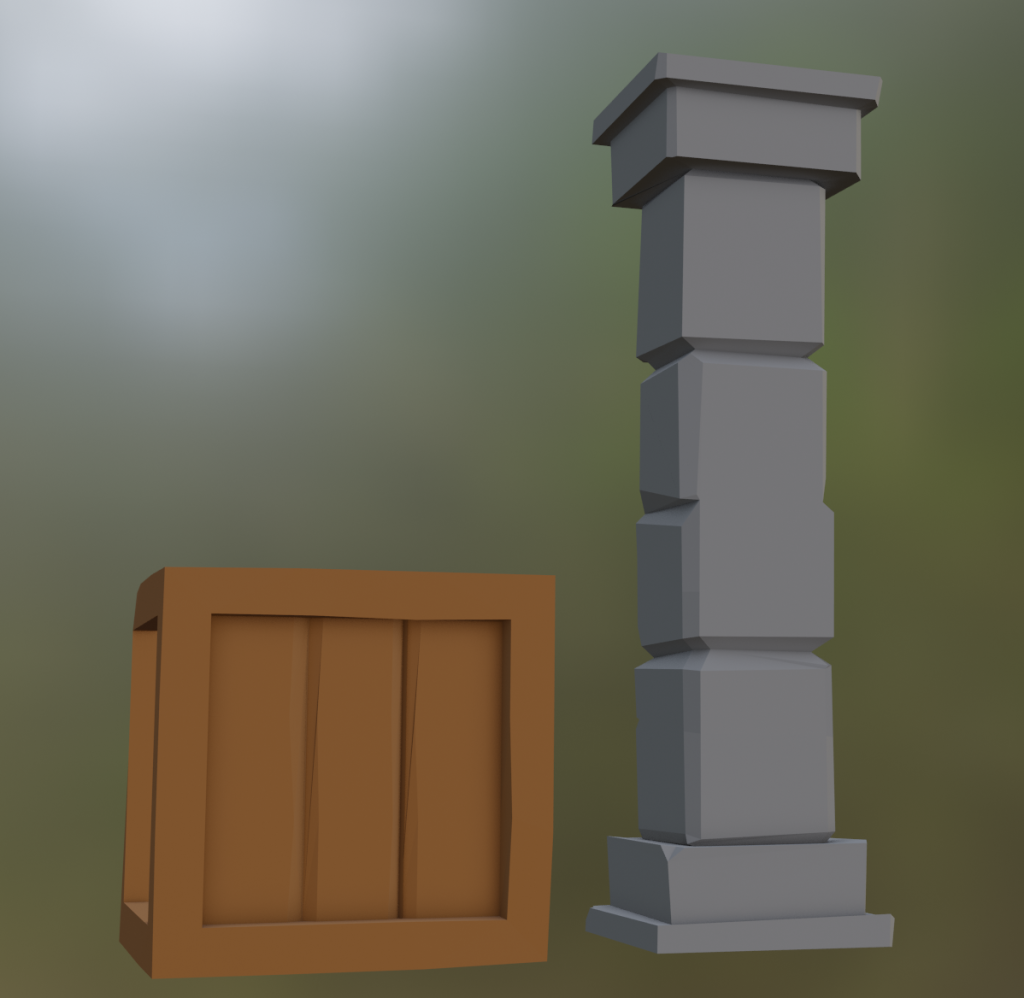
Continued…. Let’s tackle another item to add to our modular dungeon pack. Monday we did a nice low-poly barrel with some nice notches and wobbles to add some personality to our work. Today we’ll add a crate to the mix and a pillar with lots of notches. Still to come, pillars, walls, arched doorway and some torches. Some shortcuts…
- Control + B = Bevel
- V = bevel vertice
- J = to join vertices
- K = Knife tool and we’ll try out the bisect tool
- Mirror modifier
11:35 Lunch

12:05 Career Planning Workbook & Production Window
Ms Shelly O’Neal-Kegler will be joining us today for a conversation about Career Planning – this is a follow up from our conversations last week.
A copy of the workbook has been created for you – found in Google Classroom
1:00pm Break (15 minutes) / VHV Meeting Production
1:15 Independent Reading

1:45 Dismissal