Class Hours: 10:05 – 2:40
Mr. Bohmann | wbohmann@ewsd.org
10:05 Today’s Notes & Attendance
Wacky Wednesday
- Great work with managing the cell phone policy
- Great work with reading
- SLC Meeting today during lunch – m117 (I think)
- Adobe Bridge – let’s download and install – we’ll use later
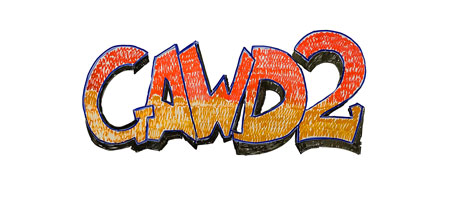
10:10 Adobe Sketch to Template
Quick Scrum Meeting – sweatshirt updates from the group

Yes, you can make vector graphics from images and sketches. Let’s look at the workflow this morning while reviewing some of the work we did the other day in Adobe Illustrator
Groups and Group Selection Tool (file we’ll be using is called groups_skeleton)
Symbols (file we’ll be using is symbols_truck)
Adobe Color (from an image)
- Importing as Template – there are some presets that can make this work faster
- Importing as image tracing
- We’ll use the Essentials Classic workspace to assist us (access to image trace menu)
- Making vector graphics from sketches is a great way to digitize your ideas and can make prototyping faster (for things like icons, logos and branding).
We’ll practice a sketch I made for you.
Advanced Image Trace Panel:
- Paths: Dragging the Paths slider to the right makes the paths fit tighter to the original “shape” (more anchor points), whereas dragging to the left makes the paths fit looser (less anchor points).
- Corners: Dragging the slider to the right makes more corner points, and dragging the slider to the less makes more smooth points.
Activity: You Try
10:50 Morning Break (10 minutes)

11:00 Managing Media with Adobe Bridge – More Tools to work with

This morning we’ll look at Adobe Bridge. Specifically:
- I’ve got some practice files are located in the public folders. Make a copy of the folder (Called Bridge Sample Files) and paste on your desktop.
- How Bridge works with your hard drive
- Sorting, viewing, previewing, rating, ranking
- What files bridge can see
- Importing images from SD card
- Batch processing (renaming, touch up, resizing)
11:35 Lunch
12:05 Afternoon Programming – CCV and Run Hide Fight
This afternoon up until break I’m going to come around and make sure you are able to get in to the CCV portal.
Let’s try to finish up our sweatshirt paper designs during this session and get our surveys queued up.
Assignments:
- 25 Free Photos
- Illustrator Low Poly Artwork
- Sweatshirt Designs – paper 3 pack
1:00 Afternoon Break
1:15 Dailies

1:15 Independent Reading
1:45 Dismissal