Class Hours: 10:05 – 2:40
Mr. Bohmann | wbohmann@ewsd.org
10:05 Today’s Notes & Attendance
- Week 14 and just two point 2 weeks to your next vacation
- We are now in the second half of Q2 – until 1/17/2026
- We have visitors this week on Wednesday
- Fire Drill this morning – first thing!
- CCV Lunch Order – go get it
10:15 CSS Calc & Web Programming with JS Challenge
Now that we’ve done a little work with type scales and css variables (also known as custom properties) the next thing naturally is to put them together with another specification – called CSS calc.

Calc is a specification which allows you to do Math calculations in your CSS. Math, why would you want to do math?
- Works well with: length
- Works well with: time (animations & transitions)
- Works well with: numbers and integers (like font sizes, margin and padding)
- Addition +, Subtraction -, Multiplication *, Division /
- Can use with different uses (like subtract 25px from 40%)
- Great for setting Type Scales
- Lastly, showing math is easier to understand when you see it in the code
The real power of Calc() is the ability to mix units!
For Example:
transform: rotate(calc(10deg * 5)); or width:calc(1em – 25%);
:root {
  --base-size: 1rem;
  --type-scale: 1.44;
  --h5:calc(var(--base-size) * var(--type-scale));
  --h4:calc(var(--h5) * var(--type-scale));
  --h3:calc(var(--h4) * var(--type-scale));
  --h2:calc(var(--h3) * var(--type-scale));
  --h1:calc(var(--h2) * var(--type-scale));
}
Hola Mundo!
Web Program Challenge Assignment – I want to see some JS
So, create an HTML web page with a script that, when the page loads, there is a button (or buttons) that will make the text “Hello World” will appear in 3 different languages, with 3 different colored backgrounds. (You can go to W3Schools for help on buttons and for styling)
- Use h1 or h2 tags for the output so that the text is visible on the page!
- JS should be a separate file , CSS should be a separate file
- Upload all files to your server and link from your directory page.
Title: Hola Mundo!
Due Date: December 15th!
10:50 Morning Break (10 minutes)

11:00 Hard Surface Modeling – continued…
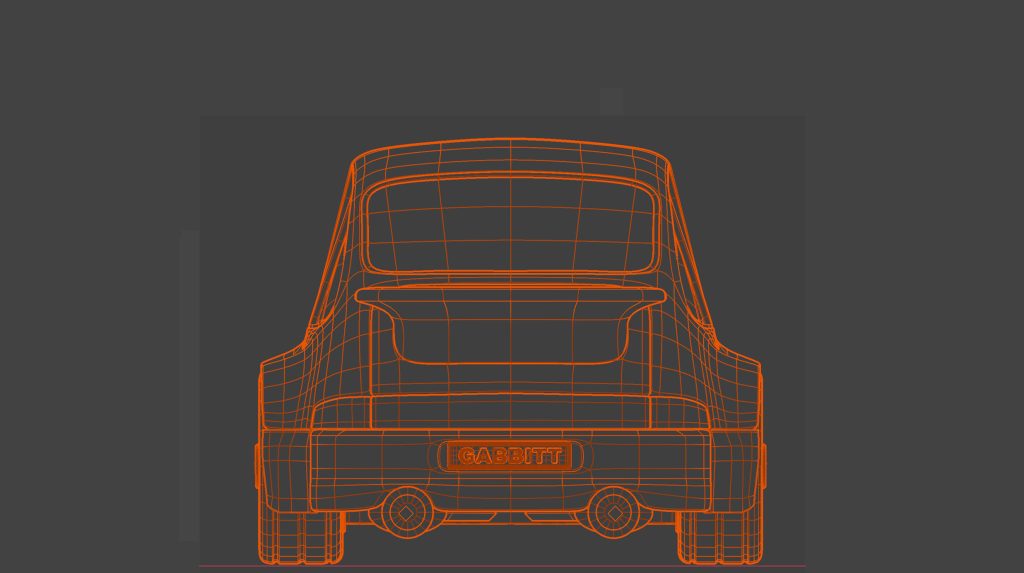
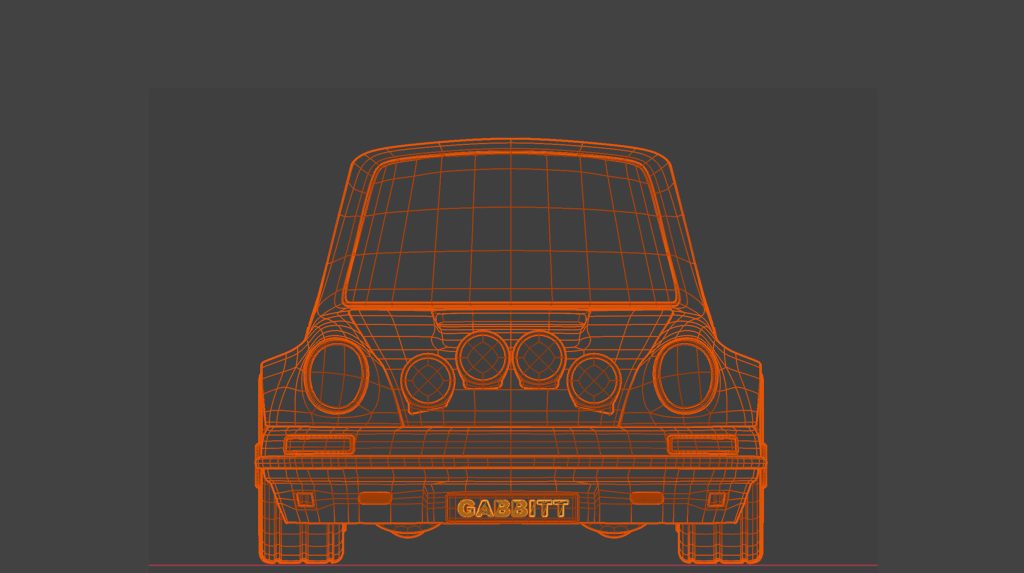
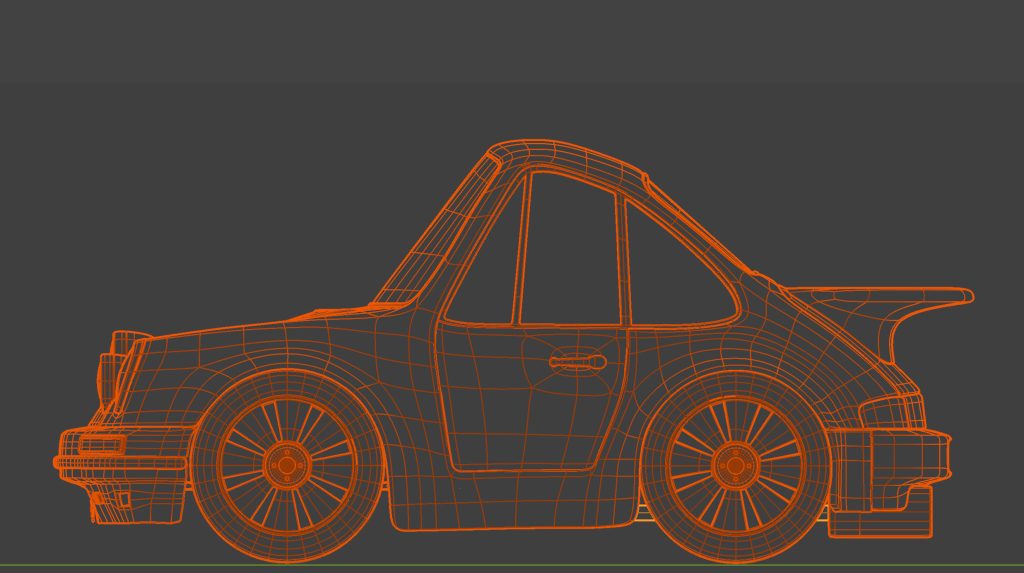
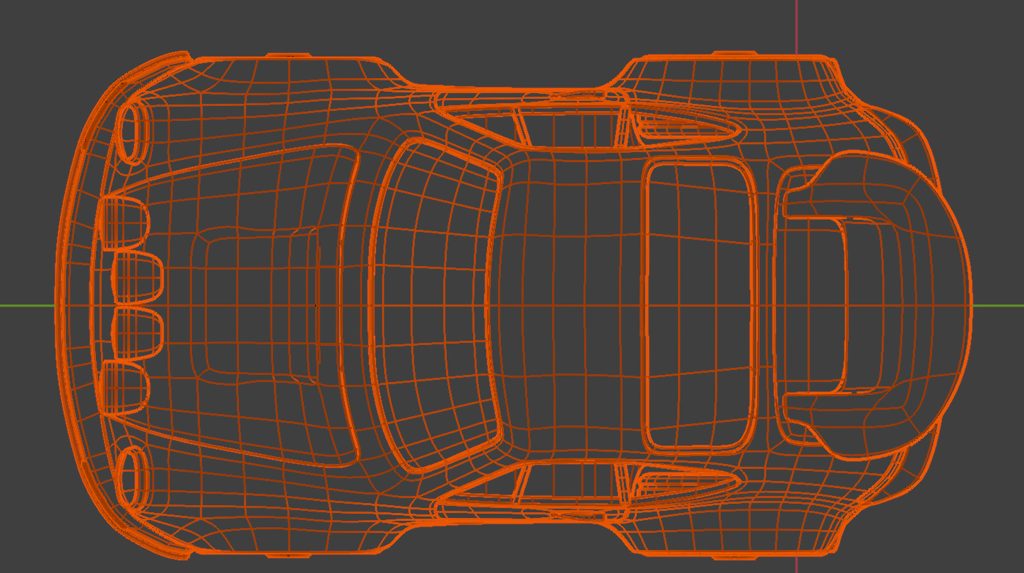
We are going to work from a series of drawings today. Taking time to set up reference images is really helpful with your modeling. I grabbed these images from a Blender course and the car looks like it will be fun to make. So – let’s get started. Download and unzip these files on your desktop.
This is a pretty complex car – so after we set up our references, we’ll begin with an easier car to get some practice.
11:55 Lunch

12:25 IRC Course

Jacob – Let’s have you take the practice test – you are going to report out after you take the test how the test went (not during).
For the rest of us – let’s continue to work through the sessions.
1:10 Afternoon Break
1:25 Speed Design

1:45 Independent Production & Guided Support
- Hard Surface Modeling – SciFi or Classic shipping container – Due Tuesday, December 9th
- Famous Photographer Project – Due Wednesday, December 10th
- Decorative Silhouette in Photoshop – Due Wednesday, December 11th
- Purinton Tree Farm – new website – Due Wednesday, December 17th
2:10 Dailies

2:15 Independent Reading

2:40 Dismissal
