Class Hours: 10:05 – 2:40
Mr. Bohmann | wbohmann@ewsd.org
10:05 Today’s Notes & Attendance
- Happy Birthday Maxx! – send him a message if you are able
- Students with equipment – Please return next week
- Game Testing – with GAWD students
- Today: Dailies will go in GAWD1 Folder
- 2:10 you will go to first year classroom for dailies and reading
- Why? I have a Dr. Appt at 3pm.
10:10 Space Sentry – GAWD2 Team Game Challenge Continued…
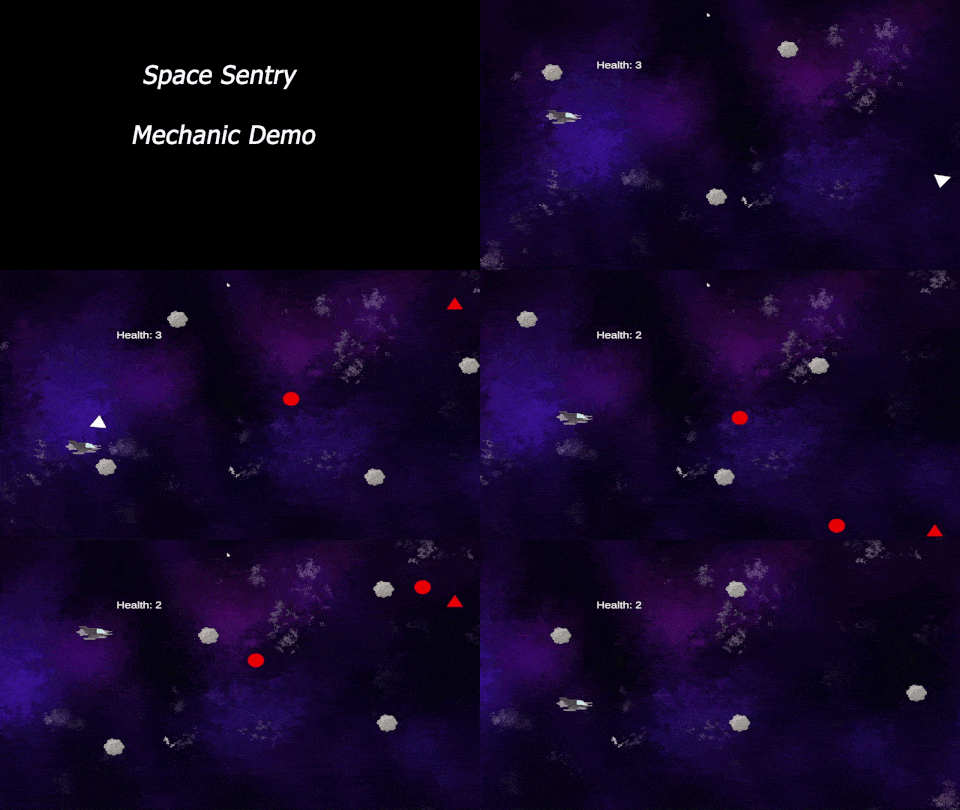
May I suggest a Scrum Meeting….
To be successful as a team, you need to know the deliverables:
- One Game Design Document (Here is a template). It’s just a template – you can expand!
- A playable game (prototype is fine) in Unity IDE or published to Unity Play
- Win Conditions
- Lose Conditions
- Restart
- Home Screen with Game Title
- Play Button that opens the game
- Credits Button that opens Credits Screen (credits list roles of all team members)
- A short video trailer of game play to show off mechanics – Promo Reel
- One round of game testing with GAWD 1 and/or staff members
- Testing Summarized in Google Doc with planned solutions (you don’t actually have to fix)
- Project Due Date: Tuesday, May 19th – 11:30AM
- A representative will share the story of the team
- Process
- Successes
- Challenges
- Organizational Strategies
- Game Overview
- Sample Gameplay (in the form of a video Trailer)
- and….. We will see and play your game – on one of your computers for from Unity Play!
- A representative will share the story of the team
Today’s Deliverable – Testing Summary
Provide a short summary of questions asked during testing and results – this is not the same deliverable listed above, instead it is a just a quick summary of findings and what you learned
Filename: Testing_PDF
10:50 Morning Break (10 minutes)

11:00 2D Platformer – Climbing / Cinemachine Camera
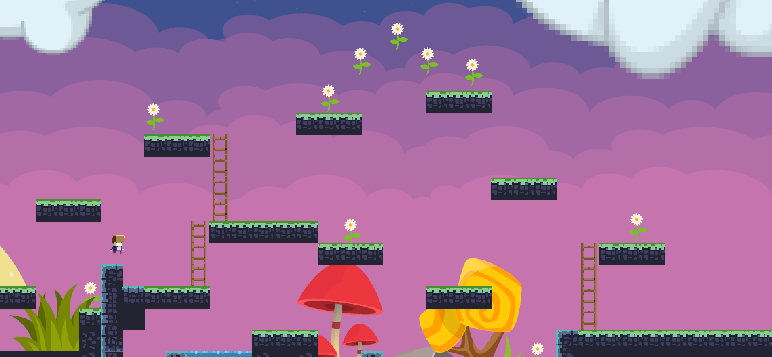
Climbing is a pretty cool mechanic and it is not too different than running. We already have a key binding and we have a sprite sheet with a climb animation. Let’s get some ladders in our scene, discuss layers and colliders and get some code up and running. What layers and sorting layers should climbing be on?
We’ll also look at gravity to prevent sliding and the Cinemachine Camera
//variable
float gravityScaleStart;
[SerializeField] private float climbSpeed = 5f;

private void Start()
{
    gravityScaleStart = myRigidBody.gravityScale;
}

private void Climbing()
{
    if (!myFeetCollider.IsTouchingLayers(LayerMask.GetMask("Climbing")))
    {
        myRigidBody.gravityScale = gravityScaleStart;
        myAnimator.SetBool("isClimbing", false);
        return;
    }
    myRigidBody.gravityScale = 0f;
    Vector2 climbVelocity = new Vector2(myRigidBody.linearVelocity.x, moveInput.y * climbSpeed);
    myRigidBody.linearVelocity = climbVelocity;

    myAnimator.SetBool("isClimbing", true);
}
Speed Design Deliverable: Take a screen recording of your player running, jumping and climbing with the camera following the player. Level up your scene with some level design and assets.
Filename: 2DPlatformMechanicDemo_LastName.mp4.
Place in the RunJumpClimb folder under Design Challenges
11:30 Space Sentry Continued…
Keep working on the Team game – You will have all of Monday to finish!
11:55 Lunch
12:25 English with Mx. Yopp

1:10 Afternoon Break
1:25 Speed Design

1:45 Independent Worksession
- Illuminated Rocky Path – Due Today
- 2D Platformer Mechanics Demo – Due Monday
- Team Game Jam – Due Tuesday
2:10 Dailies

2:15 Independent Reading

2:40 Dismissal