Class Hours: 10:05 – 2:40
Mr. Bohmann | wbohmann@ewsd.org
10:05 Today’s Notes & Attendance
- May 1st, May 1st, May 1st
- English today – right after lunch
- No Speed Design today – we’ll use the afternoon to get started on Breakout games
- Monday – I will not be here – you will use the day to build your Breakout game. There will be some milestones you will need to reach and demonstrate by the end of the day on Monday.
10:10 Setting up Dual Vaporizers / Arrays and Foreach Loops
Two lasers! Yes, let’s make an even cooler vaporizer and learn about arrays and foreach loops at the same time.
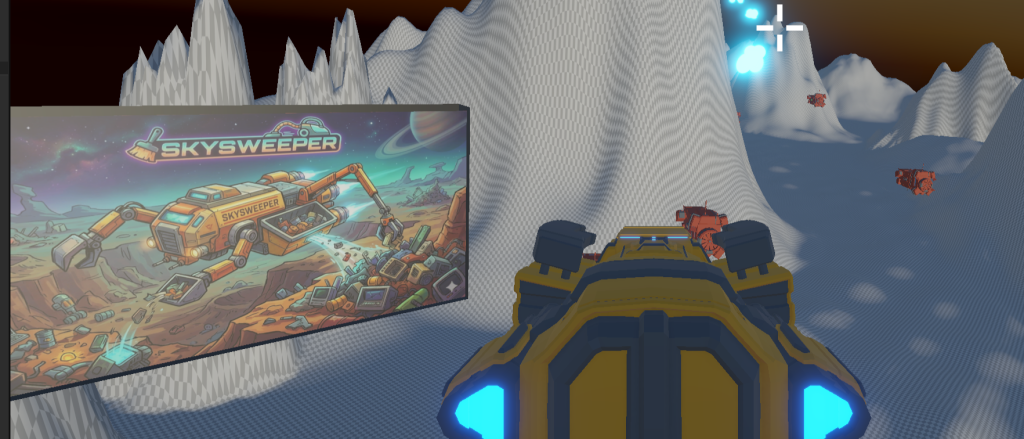
Let’s set up our ship to shoot two lasers. We can accomplish this with creating an array.
Think of an array as a digital storage container that holds a collection of items of the same type, all lined up in a specific order.
If a single variable is like a solo locker, an array is like a whole row of lockers in a school hallway.
GameObject [ ] lockers ={ “Molly”, “Libby”, “Hannah”};
The “Zero” Rule
In almost every programming language (like C#, Python, or javaScript), arrays are zero-indexed. This means the computer starts counting at 0, not 1.
- The 1st item is at index
0. So in the example above lockers[0] is “Molly” - The 2nd item is at index
1. - The 3rd item is at index
2.
Foreach Loop is a control flow statement for traversing a collection (in our case – over a collection of game objects).
Think of a foreach loop as a “to-do list” processor. Instead of you manually saying, “Do this to item 0, then item 1, then item 2,” the loop automatically grabs every item in a collection, one by one, until it hits the end.
How to Iterate Over a Collection
GameObject[] things;

foreach(GameObject item in things)//most would code as (GameOjbect thing in things)
     {
        do some stuff here
     }

[SerializeField] GameObject[] lasers;

foreach (GameObject laser in lasers)
     {
        do some stuff here
     }
10:50 Morning Break (10 minutes)

11:00 SkySweeper – Tune and Tweak
In just two days we’ve created the outline of a good rail shooter style game. Currently we have:
- Rail Movement
- Steering controls for roll and pitch
- Vaporizing Mechanic with mouse / aiming system
- Particle VFX on enemy and player
- Hit counts on enemies
- Score Values on enemies
- Scoreboard
What we really need to get to is get moving with the artistic side:
- populate the landscape with trash for us to hit.
- increase the smoothness of the spline our ship rides and adjust so the user will have to actually roll and pitch their ship to avoid obstacles.
- we also need to get some trees, or greenery on the landscape – or desert style items depending on your game style.
- do some light early Alpha testing
For the next 40 minutes, lets tweak. Save as you go. We will take turns trying each others games our for smoothness and visuals at 11:45 and provide some feedback.
11:55 Lunch

12:25 English with Mx. Yopp

1:10 Afternoon Break
1:25 Breakout & Independent Production & Guided Support
2:10 Dailies

2:15 Independent Reading

2:40 Dismissal
