Class Hours: 10:05 – 2:40
Mr. Bohmann | wbohmann@ewsd.org
10:05 Today’s Notes & Attendance
- We are in Week 21
- Two Weeks to vacation
- FireDrill tomorrow at 2pm
- VSAC Deadline for scholarships is Wednesday
10:10 Animation Project and Public Service Announcement
The Vermont Highway Safety Alliance
Vermont Highway Safety Alliance’s Annual PSA Video Contest is open to high-school students with the goal of encouraging you, your friends and classmates to avoid distracted driving. Test your video skills, win prizes, and help make Vermont roads safer. GAWD2 students have been very successful in the past, so let’s see what you can do. Here’s a past winner from GAWD2 so is this one. There are also another handful of winners and good examples (one and two) and I’ll share some of those in weeks to come.
What: Create an exactly :30, :45, or :60 seconds YouTube video on the dangers of distracted driving.
This is a PSA – Public Service Announcement.
Contest Deliverables
The goal is to produce a video that will engage new drivers and highlight the dangers of distracted driving. We will make ours a 3D Animation. This will be an individual project with a community approach.
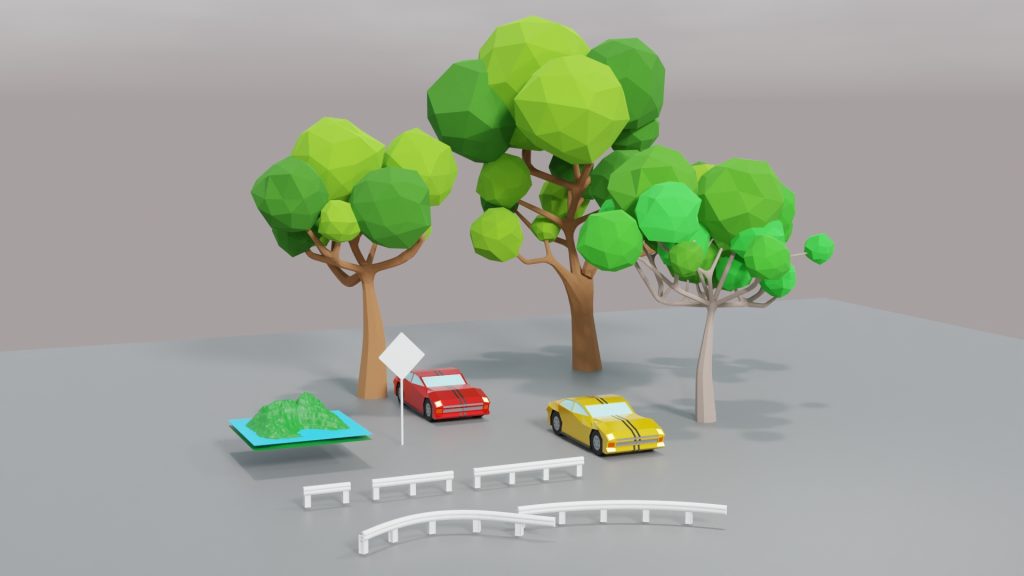
Each of you will be responsible for creating five assets that will be modeled in Blender. Everyone will be responsible for a road sign and a car (you can go so many ways here – from cartoony to high level detail)
Assets will be deposited in a community Google Folder – PSA 2026 Community Folder
Once assets are in the community folder, they are free for you to grab and use.
A quick note on your assets:
- models will be plain – no materials/textures
- Each asset (blend file) will have a proper name like this…
- filename: lastname_modeltype.blend
example: Bohmann_StopSign.blend - and be saved as separate files and placed in your Folder
- filename: lastname_modeltype.blend
- Additionally, one additional file which will be a jpg render of all five assets on a plane with materials
- filename: Bohmann_assets.jpg so we can see what the assets look like.
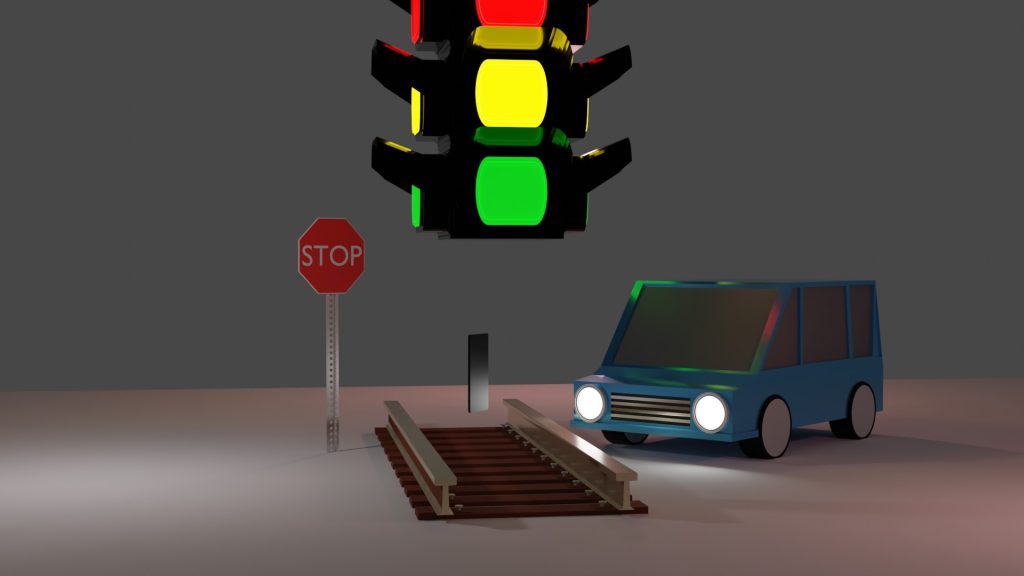
You will select items you need or want from the community folder to build your animation. Once you take them, they are yours to modify and change. Don’t complain if you don’t like the modeling.
From the assets, you will assemble a PSA on the dangers of distracted driving. There are many stylistic approaches you can take for your PSA. Good PSA’s have three qualities in common:
- Gets the audience to pay attention
- Message is clear and easy to understand
- Message is supported by facts about the issue
The audience understands how others are affected by the issue -( the impact on others )
To start and for today: Divide paper or sketchbook into 6 squares. Use five of those squares to sketch out your asset pack. Put your name and any other details (design info, color ideas, aesthetic your after) in the 6th square. Hand in to me by Tuesday (End of Day) – these are sketches – so don’t get bogged down. I just want to know what you are going to model. I’d budget 30 Minutes for this.
This Paper 5 pack will be your pre-production planning. When I see your sketches, I’ll approve you to move your designs into production models.
Schedule & Details
10:50 Morning Break (10 minutes)

11:00The Grease Pencil – Working in 2D – Blender
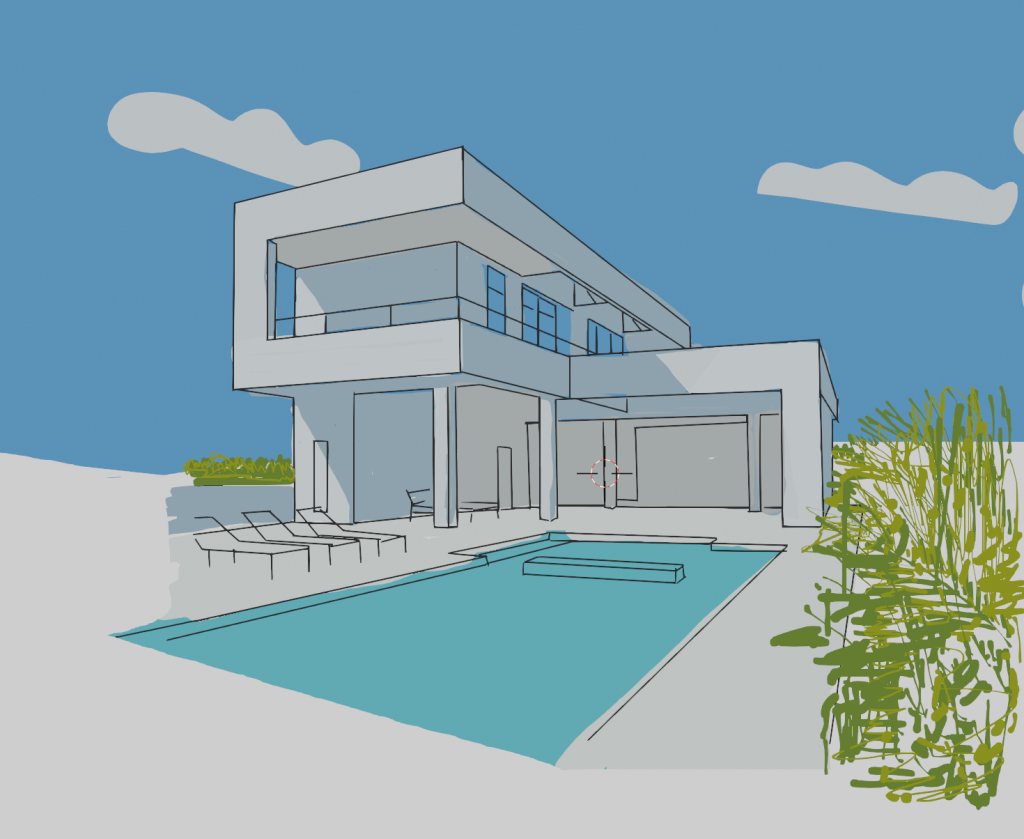
What is 2D animation?
Well, you probably know and definitely have seen 2D animation. A more formal definition is that 2D animation is the art of creating movement in a two-dimensional space. This includes characters, creatures, FX and backgrounds. The illusion of movement happens when individual drawings are sequenced together – like we did thaumatrope.
Over the next week we’re going to explore the 2D interface in Blender, get familiar with the grease pencil in both 3D and 2D workspaces, do some inking and some general doodling while at the same time exploring the 12 principles of animation.
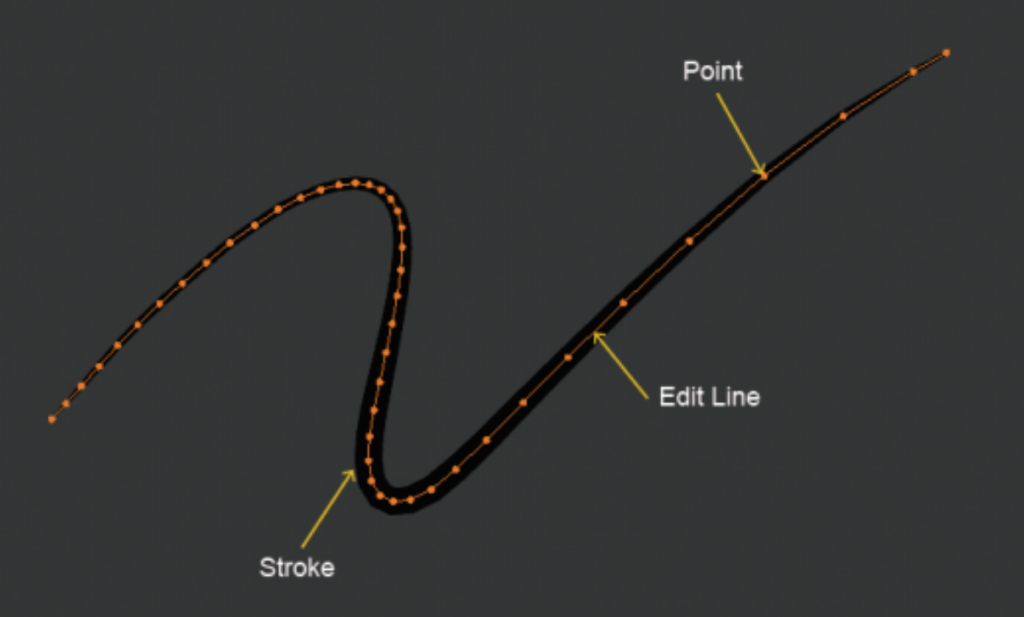
Some key things to keep in mind with the grease pencil are in the editing tab – points, edit lines and strokes.
Like Photoshop, layers is an important part of using the grease pencil and the 2D workspace. We’ll explore:
- Two dimensional drawing in a three dimensional workspace practice Helper tools – drawing plane, layers, materials
- Sculpting the grease pencil
- drawing in edit mode
- types of erasers
- Scissors and editing strokes
- vertex painting vs. material painting
Points
The main element used in editing Grease Pencil objects are points. Points represent a single point in 3D space.
Each point stores all the properties that dene the nal appearance of the strokes as its location, thickness, alpha, weight and UV rotation for textures.
Edit Lines
Points are always connected by a straight line, which you see when you are editing in Edit Mode or when you look at a stroke in wireframe view. They are invisible on the rendered image and are used to construct the nal stroke.
Strokes
The stroke is the rendered image of the points and edit lines
Other terms and functions we’ll explore:
layers, onion skinning, modiers, visual effects, materials and animation
The Blender Grease Pencil workspace works around the concept of Layers and Materials.
Let’s take a look.
11:55 Lunch

12:25 Afternoon Programming in Unity
1:10 Afternoon Break
1:25 Speed Design

1:45 Independent Production & Guided Support
- Paper 5 Pack of Community Assets – Tuesday, End of Day
- Moods Demonstration – Wednesday
- Jump with Mise en Scene – Wednesday
- Asset Modeling – Friday, February 20th
2:10 Dailies

2:15 Independent Reading

2:40 Dismissal
