Class Hours: 10:05 – 2:40
Mr. Bohmann | wbohmann@ewsd.org
10:05 Today’s Notes & Attendance
- Friday we will have a fire drill at 10:15
- Next week, begin to take things home with you
- EHS Exam Schedule – Lion and MJ have a look
- Sebastian will not be at CTE after 11am on Friday
- MJ – Show me on your screen your Illuminated Rocky Path
- Collin – Friday – 12:40 in front of EHS for Phys Ed Field Trip
10:05 GAWD Game Studio
Updates – Let’s hear from groups about their current game situation. Three Questions:
- What did you accomplish yesterday?
- What will you accomplish today
- What challengers / barriers / road blocks might you be facing
Shooting (hugs)
Want some code for a 2D shooter? – I was working on a simple example over the weekend. You will need to create an empty for the location of the bullet to spawn on your player. You will also need to create a prefab for your bullet. Two Scripts – One for the Player and one for the Bullet
Player Shooter
using System.Collections;
using System.Collections.Generic;
using UnityEngine;
using UnityEngine.InputSystem;

public class PlayerShoot : MonoBehaviour
{
    public float fireRate = 0.05f;
    public Transform firingPoint;
    public GameObject bulletPreFab;
    private float timeUntilFire;


    public void OnFire(InputAction.CallbackContext context)
    {
        // context.started fires the exact frame the button is pressed (equivalent to GetMouseButtonDown)
        if (context.started && Time.time >= timeUntilFire)
        {
            Shoot();
            timeUntilFire = Time.time + fireRate;
        }
    }

    private void Shoot()
    {
        Instantiate(bulletPreFab, firingPoint.position, Quaternion.identity);
    }
}
Bullet Script
using System.Collections;
using System.Collections.Generic;
using UnityEngine;

public class BulletScript : MonoBehaviour
{
    public float bulletSpeed = 15.0f;
    public float bulletDamage = 2.0f;
    public Rigidbody2D rb;

    void FixedUpdate()
    {
      rb.velocity = Vector2.right * bulletSpeed;
      Destroy(gameObject, 3); // this will destroy the bullet after 3 seconds
    }

    private void OnCollisionEnter2D(Collision2D collision)
    {
        if(collision.gameObject.tag == "enemy")
        {
            Destroy(collision.gameObject);

        }

    }
}
10:50 Morning Break (10 minutes)

11:00 Setting Up Compass Cloud Accounts
Creating Compass Cloud Accounts – Getting Reading for testing. Write down your password in your phone. We will login to these accounts next Tuesday and I’ll give you the access code.
11:10 GAWD Game Studio
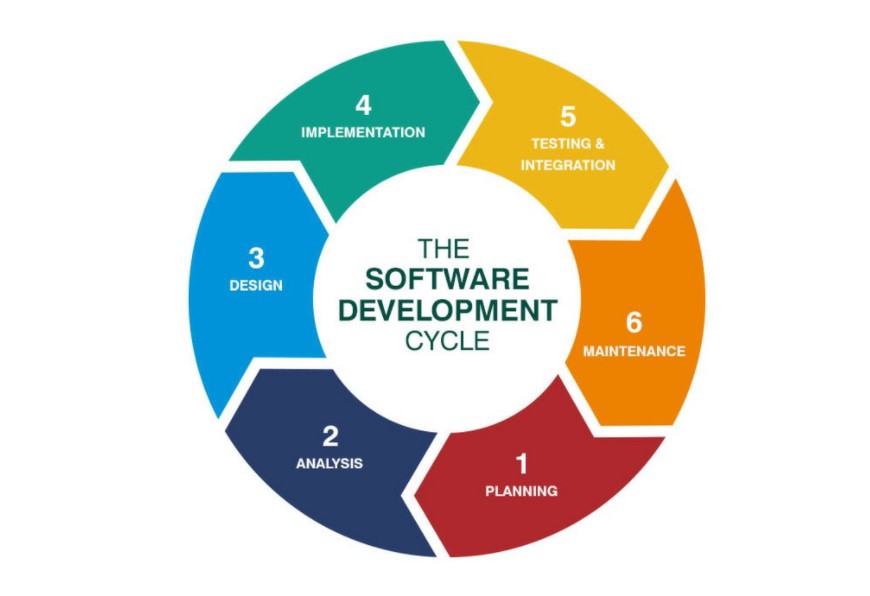
Have another 5 Minute Scrum Meeting with yourself! Then, update your Trello board with things you need to do, are doing or are done with. You are in good shape if you know what you are building and are setting time limits. Rough look ahead:
- Friday – Build Day (alpha should be ready)
- Monday – Set up Testing Questions / Finish Build
- Tuesday – Alpha Testing / Beta Testing / Finish Build
- Wednesday – Alpha / Beta Testing
- Thursday – Game Jam (all games will be ready!)
- Friday (Game Presentations and final publishing)

12:25 English with Mx. Yopp

1:10 Afternoon Break
1:25 Worksession
2:10 Dailies

2:15 Independent Reading

2:40 Dismissal
