Class Hours: 10:05 – 2:40
Mr. Bohmann | wbohmann@ewsd.org
10:05 Today’s Notes & Attendance
- Week 29
- Fire Drill tomorrow (Wed) at 10:15am
- Mid Quarter ends on Friday
10:10 SkySweeper – Let’s add in our Particle Shooting!
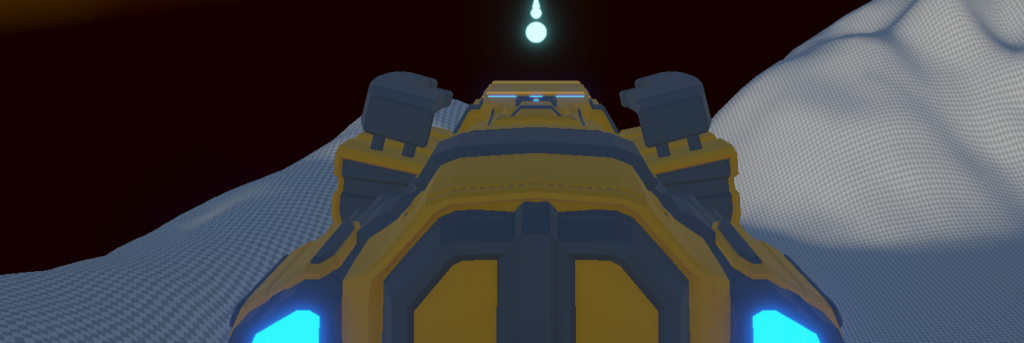
Let’s add a new input to your Player Controls Input System for shooting. Then we can set up a particle system for our weapons system. We can also add a cross hair system to assist with aiming.
10:50 Morning Break (10 minutes)

11:00 Building Our Next Game – Your Independent Build
Do you remember what my favorite Arcade game is? It’s Arkanoid!
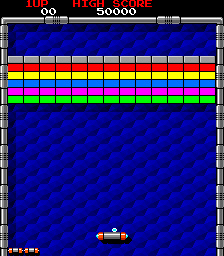

We’ve got enough skills to create a nice little breakout game – or at least a minimal viable product to see how everything works.
You’ll need to make some sprites. Photoshop is good for that. I think the original game the sprites are 32 pixels high and about 75 pixels wide for blocks The paddle is 16 pixels high and 32 pixels wide (I think) but you can design yours anyway you want using any style that inspires you…
Create a New Project called BreakOut in the 2D space.
Sprite Assets we need to create: Ball, colored blocks, paddle, border
Physics Material (Bouncy) for the Ball
For the paddle we are going to use a Polygon Collider and make the collider a little uneven so ball bounces with some randomness
Code you need to create:
- Movement Script for Paddle using the New Input System(you know how to do this – look at PinBall)
- Might be nice to have a variable to adjust paddle speed
- Also be nice to limit how far left and right the paddle can go
- Collision Script to Destroy Blocks (Example)
- A Ball Script (see code snippet below)
PreFabs will make our life easier by creating one for each block to include:
- Correct Scale
- Box Collider 2D
- Collision Script to go on the blocks
Background Image – here is one you can use or go make your own
using System.Collections;
using System.Collections.Generic;
using UnityEngine;

public class Ball : MonoBehaviour
{
    // Movement Speed
    public float speed = 10.0f;

    // Use this for initialization
    void Start()
    {
        GetComponent<Rigidbody2D>().velocity = Vector2.up * speed;

    }
}
This code is going to use a Vector to move the ball up at the start of the game. We can use the speed variable to change the speed of the ball.
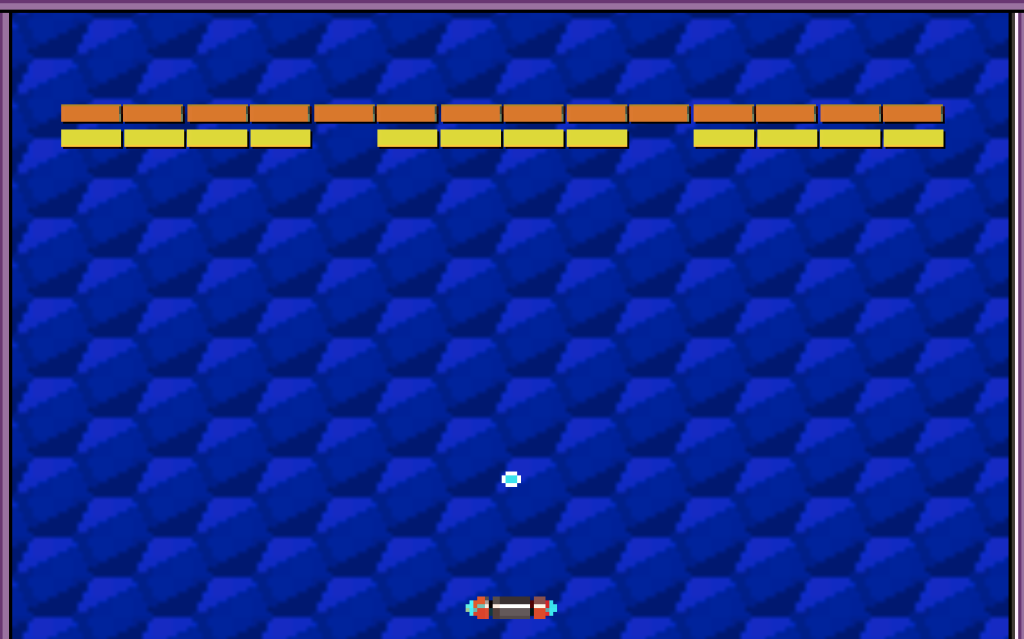
Build, Play Test
Your Breakout Game will be due on Friday, May 8th. You will have some class time for this.
Deliverables:
- A game scene with all assets
- A ball that breaks (destroys) bricks
- A score that adds up (can you code a High Score?)
- A Win or Lose Condition (Killbox) and messaging (like you lost)
It would be nice to have:
- Sounds
- Multiple Players / Health
- Bricks that have different scoring
- PowerUp or Invoke/Instantiate something
- An Opening Splash screen when the game begins
- Multiple Levels
This is an individual assignment. However, use each other to assist with your questions.
11:55 Lunch

12:25 Pixel Perfect Practice Session
Sprites (Working towards Pixel Perfect) in Photoshop

- Tools for Pixel Art – Photoshop, Aseprite, Piskel
- Games with great pixel art – HyperLightDrifter, ScottPilgrim, Video of Pixel Games
- Character Size – the evolution from 16 to 128 pixels (DonkeyKong Mario 16 pixels!)
- Setting up in Photoshop, brushes, shapes, symmetry, text
- Line theory – for pixel perfect lines-
- Character Creation or Object Creation
- Exporting


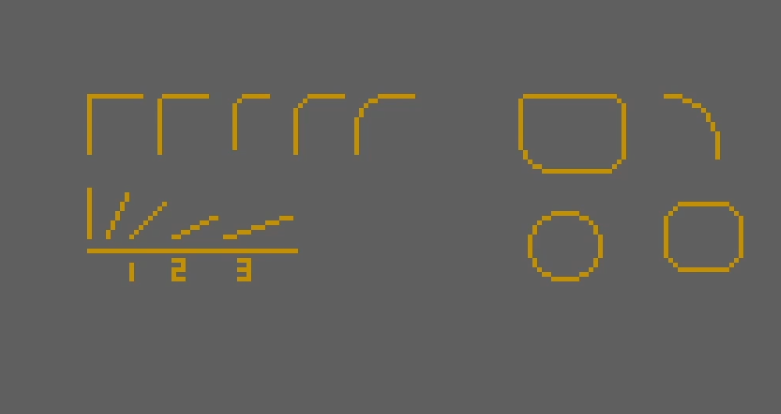
Line Theory:
A “jaggy” is an unintentional break in a otherwise smooth line or curve. This makes the line look strange and pointy, too many jaggies can ruin an artwork.
To make a smooth line you should have the same number of pixels on every “step” of the line, for example: 1, 1, 1, 1, is a smooth line whereas 1, 2, 1, 1, is not.
A smooth curve always follows a pattern. When you are moving towards the centre of the curve the number of pixels should be lower than or the same as the previous number of pixels.
When moving away from the center you should do the opposite, the number should be higher or the same as the one before it. For example: 6, 3, 2, 1, 1, 1, 2, 4, 4 is a smooth curve
12:45 Independent Production & Guided Support
- One Button Game Proposal – Due Wednesday
- Arkanoid Breakout Game – Due Friday, May 8th
1:10 Afternoon Break
1:25 Speed Design

1:59 Dailies

2:00 Independent Reading

2:20 Outdoors – Fresh Air
It might be awhile before we get another nice afternoon. Twenty minutes of fresh air time. You’ll be dismissed from the great outdoors at 2:40pm.
2:40 Dismissal
