Class Hours: 10:05 – 2:40
Mr. Bohmann | wbohmann@ewsd.org
10:05 Today’s Notes & Attendance
- Career Showcase in the library – 11:30-2:00
- Skills Competitions – want to participate in one?
- Visitors Today – Four (4)
- What’s that smell?
10:05 Blender – Working in 2D continued…
Rigging!
Bones! Let’s see what we can do with bones in the 2D interface. Armatures are not just for 3D models, so let’s explore what we can do with some bones, layers and basic animations.
10:50 Morning Break (10 minutes)

11:00 Working with Drivers in Blender
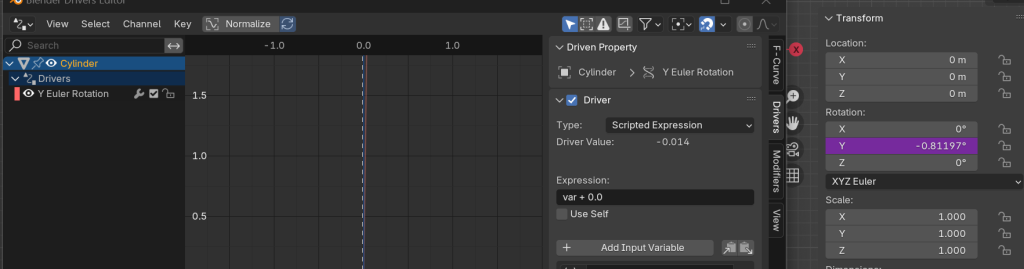
Drivers allow you to connect objects together to create animation. Drivers function like a switch. You can add a driver shape keys, armatures, objects, just about anything. It will drive the animation.
A Driver might be a good way to move your vehicle for the PSA
We’ll add drivers to simulate a car and wheels turning. We’ll also add drivers to a cube using some of the deformation tools we’ve previously worked with. Drivers may be an important animation solution for the PSA animation to handle your car and car wheels.
Drivers are very versatile. Use your imagination.
11:30 Visitors

11:55 Lunch

12:25 Unity – PowerUps and Boosts
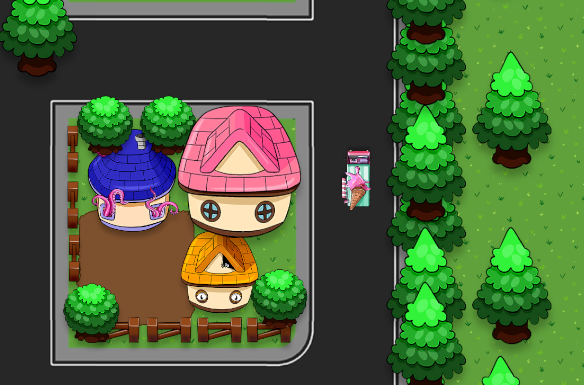
Let’s look in to Zip Town and add some boosts and bumps. We’ll also add a particle system.
Today’s code will be placed on the Driver script.
1:10 Afternoon Break
1:25 Speed Design

1:45 Independent Production & Guided Support
- 2D Walk Cycle – Thursday, March 5th
- PSA Facts Worksheet – Wednesday, February 18th
- 2D Animation (3 objects) – Wednesday, February 18th
- PSA Asset Modeling – Friday, February 20th
2:10 Dailies

2:15 Independent Reading

2:40 Dismissal
