Class Hours: 10:05 – 2:40
Mr. Bohmann | wbohmann@ewsd.org
10:05 Today’s Notes & Attendance
- Week 25
- Just One more day left after today
- Days off (from CTE)- Thursday Friday this week and Monday Tuesday (the following week)
- End of Quarter is March 27th (about two week)
- Want to know how Collin is doing….Check for yourself
- There is a job fair for construction type work today in the Library 11:30 – 2pm If you are looking for career opportunities in construction for the summer or your career take a visit.
- The various military branches will also be present.
- The businesses who will be there include:
- *Alliance Mechanical
- *PC Construction
- * Lewis Creek Builders
- * Engelberth Construction
- * VT Construction
- * Local 693 Plumbers & Welders Union
- * Tecta America
- *VT Air Guard
- * VT Army Guard
10:10 Jump In to the VHSA
Each Morning we’ll dive in to working with VHSA work. When you arrive to class the next couple of days, get started!
First Looks PSA Highway Safety Alliance Monday, 12:45PM – this should be the first version of your project with audio, sound effects, camera work and lighting. Facts need to be included. Don’t worry about the duration – we’ll get that in second looks
Second Looks PSA Highway Safety Alliance Tuesday, 12:25PM -This should be an EEVEE render that is a tighter version of your PSA. Second looks should include materials, sound AND your facts, figures and be just about complete
Final PSA Screening in class – Wednesday
We will submit the PSA per instructions in the contest guidelines
On Wednesday, March 18th, you will show your final render PSA to the class for your grade.
Deadline: 12:05pm.
Good UX – User Experience
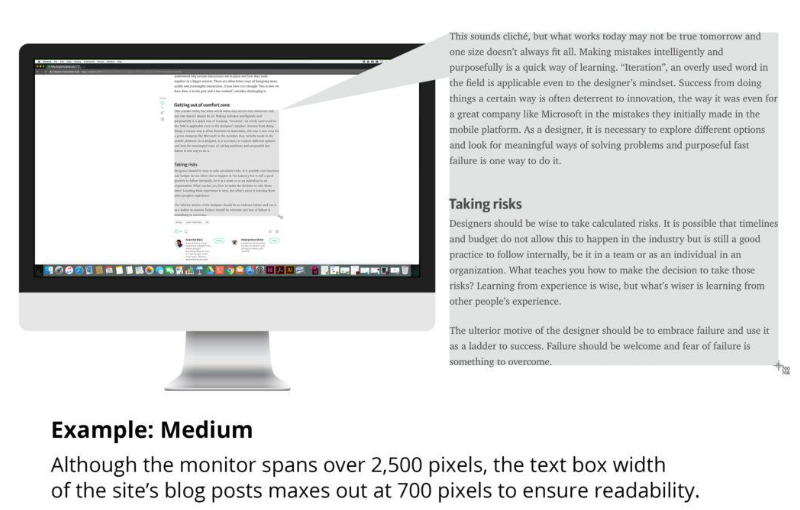
On a large screen, text should not fill all the horizontal real estate
10:50 Morning Break (10 minutes)

11:00 Pinball
Now that we’ve looked at and tested some features of the Hinge Joint 2D and have our flippers moving, it’s time to hit the design phase on our very own pinball game in 2D.
Just a few notes from what we’ve learned: Orienting your flippers on your sprite sheet to horizontal will make hooking up the angle limits easier. Also…
- Left Flipper has positive torque (we used 1000). I used -30 for Lower Angle and 45 for uppper angle
- Right Flipper has negative torque (we used -1000). I used 30 for Lower Angle and -45 for upper angle limits.
- Setting angle limits determines how far down and up the flipper moves.
- Change ForceMode2D.Impulse to ForceMode2D.Force for smooth operation of both flippers.

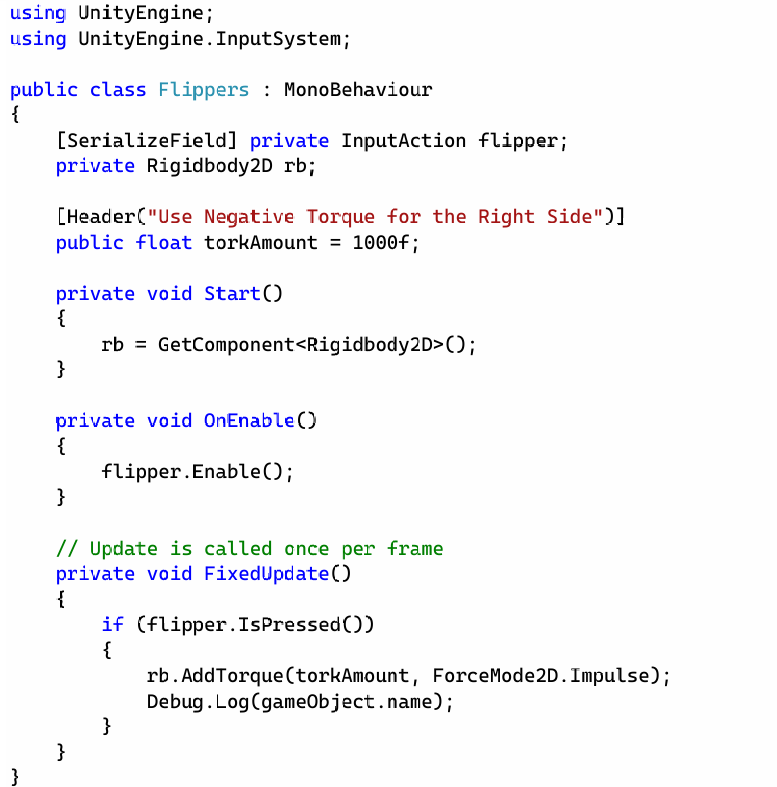
Time to move to digital designs from our paper designs. The digital designs can be created in Illustrator. I’ll demo my example for you.
- Start with a sprite sheet in Illustrator 400 x 400. Include your bumpers and flippers
- Design a background for your pinball game in your theme. 1080 x 1920px.
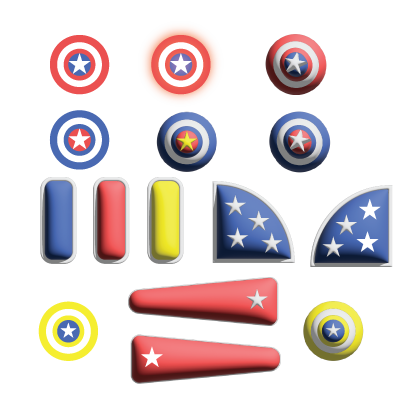
This morning, work on your assets and begin bringing them over to Unity. I can demo how a sprite sheet works – but don’t worry, you’ll do this many times over the next couple of months.
The goal today is to get game boards and digital assets made. We’ll tackle all of the logic next week. For now it is assets only.
11:55 Lunch

12:25 PSA Second Looks
This should be an EEVEE render that is a tighter version of your PSA. Second looks should include materials, sound AND your facts, figures and be just about complete. You will be getting feedback from your peers as you sprint to the final version.
Second Looks dropbox for your renders can be found in Google Classroom.
Contest Guidelines – let’s have a look.
1:10 Afternoon Break
1:25 Speed Design

1:45 Independent Production & Guided Support
- VHSA Project Work
- Pinball Digital Assets Package
2:10 Dailies

2:15 Independent Reading

2:40 Dismissal
