Class hours: 10:05 – 2:45
Mr. Bohmann | wbohmann@ewsd.org
10:05 Today’s Notes & Attendance
- SLC is having a whole-group meeting today during lunch in M117
- Skills Design starts up again – Thursday with Friday deliverable
- Husson University speaking to us on Friday
- All assignments assigned from now until break
- Next week we’ll work on PSA work, Unity Cert Prep, Unity and Skills/Design
- Use all your time, get caught up and plan to leave here for break complete!
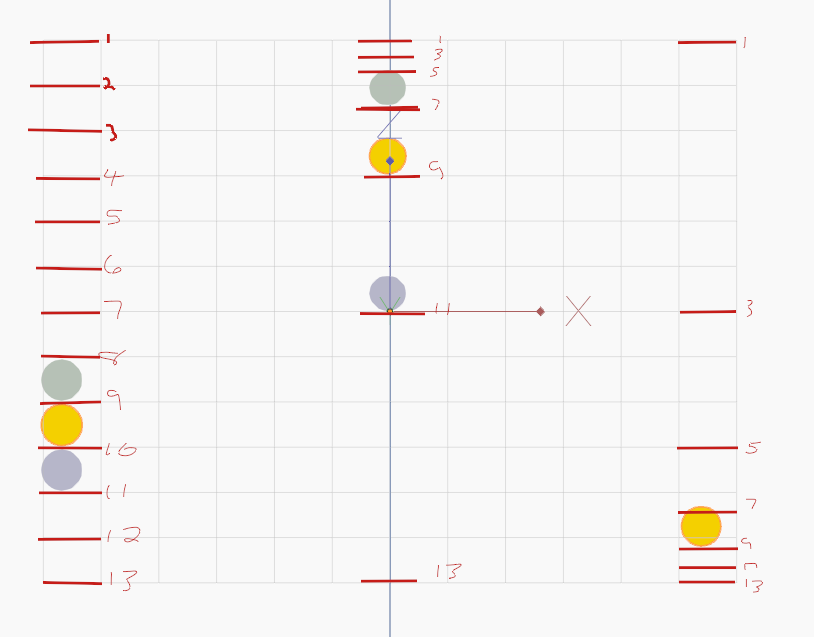
Basic Timing Chart – you can find a copy of this in the Blender Resources folder.
Key Terms
Pose to Pose – method used for creating key poses for characters and then inbetweening them in intermediate frames to make the character appear to move from one pose to the next. Example the start of the ball on frame 1 and the squash of the ball on frame 13. The artist then draws the stages of the ball in between the frames.
Straight Ahead – method that uses only the first key pose of a character, and then continues drawing the character to create the desired motion. This technique is creative but does not always produce accurate results. Example drawing a ball and changing the drawing each frame until you reach your desired outcome.
Easing – refers to the way the motion is the animation is framed. Linear, ease-in, easy-out are popular methods. For the ball animation, we ease out as the ball gains speed and momentum.
Staging – is where you direct the viewer’s attention, could be the background, scenery, location and set up of your main character(s)
Twelve Principles of Animation
- Squash and Stretch – goal: keep volume the same
- Anticipation – goal: give viewer clue of what is happening next
- Staging – goal: give animation a context and focus attention of viewer
- Straight Ahead or Post to Pose – goal: depends on animation & frame rates SA can look more organic, P-to-Pose can have better continuity
- Follow Through and overlapping action – goal: adds realism to animation and follows rule of inertia
- Slow in and slow out (easing) goal: makes the animation have speed – acceleration or deceleration
- Arcs – goal: objects and character look more organic in movement
- Secondary Action – goal: action that support the main action think foot tap while playing guitar
- *Timing – goal: to give viewers chance to perceive what is happening in the animation
- Exaggeration – goal: show expression and have bigger impact on viewer
- Solid Drawing (identifying your object’s mass) goal: provides volume and weight
- Appeal – goal: – to make illustrations look likeable and interesting
*Timing:
- Animating on 1s is for fast action, like runs
- Animating on 2s is most popular, cuts workload in half
- Animating on 3s is more economical and works if you space drawings well
more drawings does not mean smoother action
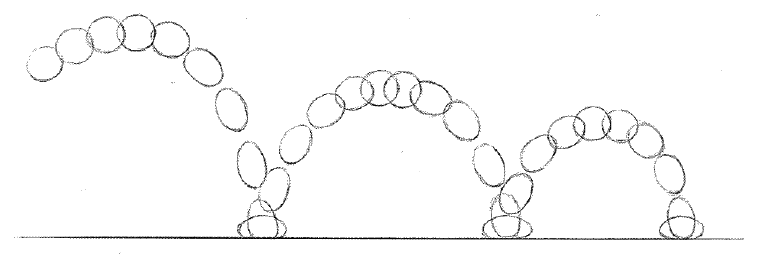
Let’s tackle our first project. A bouncing ball. For this we’ll focus on squash and stretch. Using a template is really helpful rather than just doing Straight Ahead posing. Plus – we’ll get familiar with Blender 2D. We’ll animate on the twos to make the ball more interesting. To make the animation better, we’ll make contact, then squash.
The Timing Chart we will be using in in Public Folders / GAWD2 Blender / Timing Charts
2D Project – Due Wednesday, February 18th
Three Scenes. You can start with the ball bounce we did together. What about other objects?
When creating a new scene – choose Full Copy, then delete what you need to delete. Rename your scene.
You are working with the grease pencil while in Blender. We’ll set up our projects in the 2D workspace.
- Scene #1 will consist of a brick falling from a building, so focus on Mass
- Scene #2 will focus on using squash and stretch. Making a water balloon
- Scene #3 can be your ball animation
- Extra Credit!! Scene #4 will be of your choosing (maybe a dropped fish, microphone, glass) – what principles do you want to use?
When working in the Video Editor, make one extra blank scene – Call it Video Editor. Add your other scenes in the sequencer. What about Audio? What About Titles – let’s do it.
Using the Blender Video Editor organize the following scenes in one final .mp4
- Brick
- Water Balloon
- Ball
- Extra Credit -Your Choice – Bonus for Audio and Title Cards!
Finished projects will be rendered as:
Filename: 2DPractice_Scenes.mp4 (drop in the Google Classroom)
Have each scene play 3 times.
This project is due in one week – February 18th and we’ll look at together at 1:10pm.
10:50 Break

11:00 Moods Demonstration with your Rigged Character
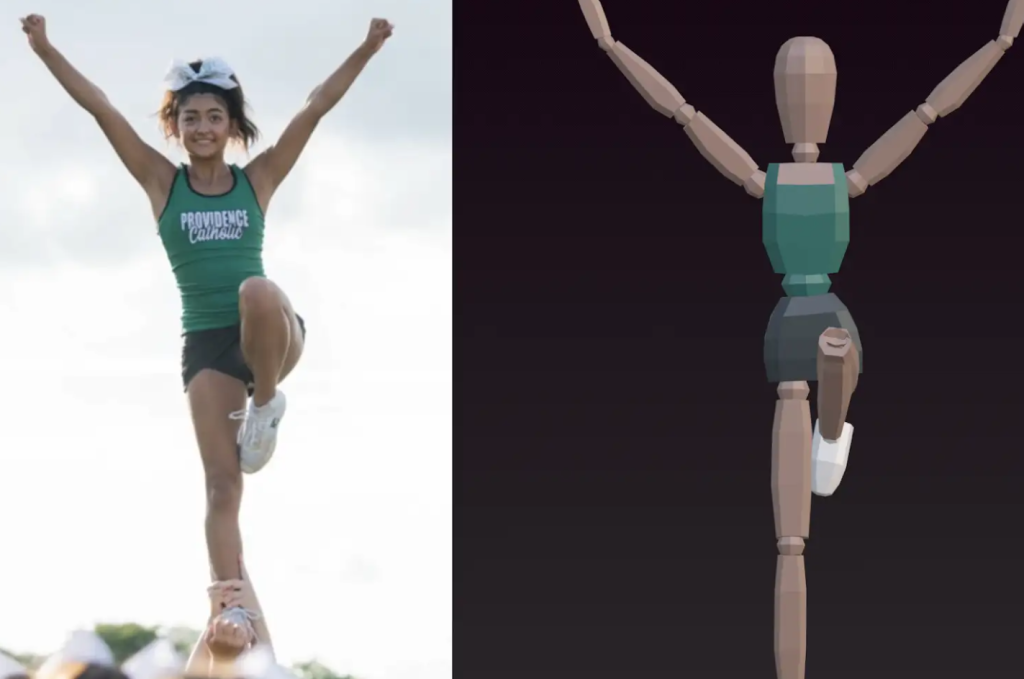
Let’s look at your moods animations and see how you used your character’s armature and animation to showcase the mood.
Then, let’s get in to Unity to finish building out the level – adding colliders and saving/ tuning our work.
11:35 Lunch
12:05 PSA Modeling Worksession
Other Projects…
- PSA Facts Worksheet – Wednesday, February 18th
- 2D Animation (3 objects) – Wednesday, February 18th
- Asset Modeling – Friday, February 20th
1:00 Afternoon Break (15 minutes)
1:15 Dailies

1:20 Independent Reading
