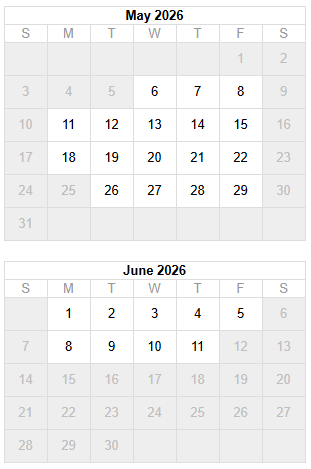
Class Hours: 10:05 – 2:40
Mr. Bohmann | wbohmann@ewsd.org
10:05 Today’s Notes & Attendance
- Today is Thursday – Peyton Ballard (GAWD2 last year) is coming in around 11am to showcase and do some testing of his game – we’ll help him along – so, schedule is a little loose. Use downtime to work on one of your two projects.
- No Speed Design today – Breakout Worksession and if you are done with Breakout, then work on environmental Rocky Path project
- Team Game Dev. Next Week – What is your specialty? What can you contribute?
- Lighting – Quick Note: You can make lights out of any gameObject by making them emissive. An emissive material will emit light on to other game objects if (and only if) those game objects are static. To make an emissive material work, we have to bake (render the lightmaps) to the scene.
10:10 Materials in Unity
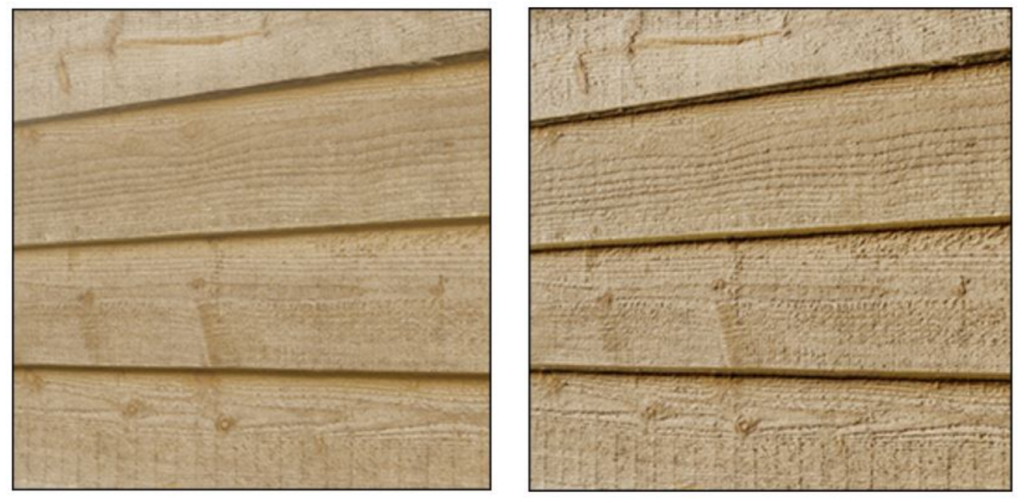
(on Right) which looks sharp and 3 Dimensional especially in the light
Let’s look at how to create and use materials, which can be used to add colors, patterns, and surface textures to objects in your game. Materials determine how the surface of a model will be rendered.
Depending on the Unity template you install, your shaders may impact your materials choices and level of detail. There is a difference between the URP and HDRP shaders!
A Shader is a small program in a game engine that renders pixels and vertices. Basically how to render graphics data. The Unity Core has the standard shader – which is now the URP.
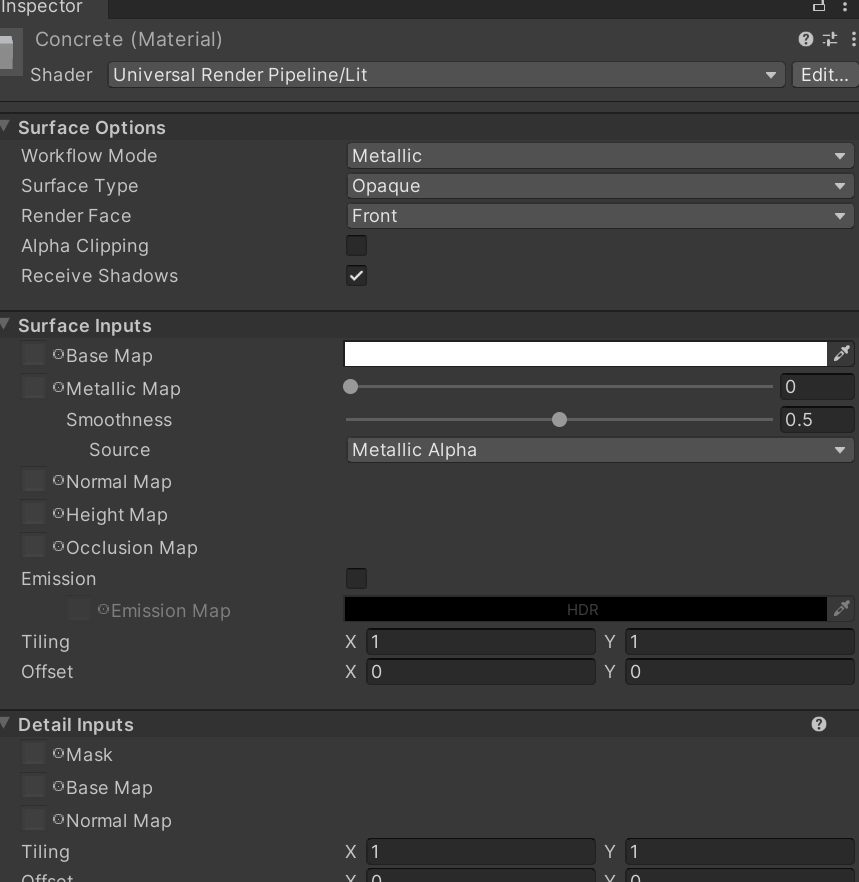
By default (and depending what type of project you load) most materials are assigned to the Standard Shader. A Shader is built in program that calculates the appropriate level of light, dark and color during the render of your scene. Basically how the pixels of the surface of the model should look.
Unity has other built in shaders:
- FX: Lighting and glass effects.
- GUI and UI For user interface graphics.
- Mobile: Simplified high-performance shader for mobile devices.
- Nature: For trees and terrain
- Particles: Particle system effects.
- Skybox For rendering background environments behind all geometry
- Sprites For use with the 2D sprite system
- Unlit: For rendering that entirely bypasses all light & shadowing
- Legacy: The large collection of older shaders which were superseded by the Standard Shader
Materials are used in conjunction with shaders. Most shaders come with a list of material parameters.
- Albedo is color or can be an image
- Metallic and Smoothness refer to how metal like an object is and how much light refraction
- Normal Maps can be used to make a surface look like it has a texture or bumps when light hits it
- Height Maps or Bump Maps are used like a normal map and will give additional definition to a surface, The map itself is a greyscale Texture that stores height data for an object. Each pixel stores the height difference perpendicular to the face that pixel represents.
- Occlusion Map is a greyscale image, with white indicating areas that should receive full indirect lighting, and black indicating no indirect lighting.
- Displacement Maps actually move or simulate how the normals receive light (think of displacement = move) this is more resource heavy
- Secondary Maps (or Detail maps) allow you to overlay a second set of textures on top of the main textures listed above. You can apply a second Albedo colour map, and a second Normal map.
Some Vocabulary Terms:
Specular: relating to or having the properties of a mirror
Occlusion: to obscure (think shadows)
Normals: refers to a vector that is perpendicular (or “normal”) to a surface at a specific point. We refer to normal maps as “normal maps” because they store information about a 3D model’s surface normals.
A Reference Link to Making Materials
Normal Maps or Texture Maps are special kinds of image files that can control how bumpy or smooth a surface inside a scene can look when light interacts with it. There are many different types of maps that can be applied to an object to improve the realism of that object.
PBR stands for Physical Based Rendering. Unity, Unreal, Substance Painter and Blender use PBR workflows. If you want to read a really good article to learn more about PBR texturing and the host of different maps (like albedo, normal, specular, etc….) read this article.
Textures are applied to objects using materials. Unity can import textures from most common image file formats.
Sites for textures:
Model for you to download and open in Unity
10:50 Morning Break (10 minutes)

11:00 GAWD Visitor & Game Testing
Peyton will be in today and we’ll be testing his game, providing feedback and learning a little about his educational journey since finishing from CTE last June.
There are two main projects going right now – the Breakout Game and the Rocky Illuminated Path assignment. Those are your two priorities.
On Friday, I’ll walk you through the publishing of your Breakout game to your own Unity profile page. Wherever your game is at, that will be the stage we’ll use for publishing.
Link to dayplan on Scene Management
Link to dayplan on adding sound to your game
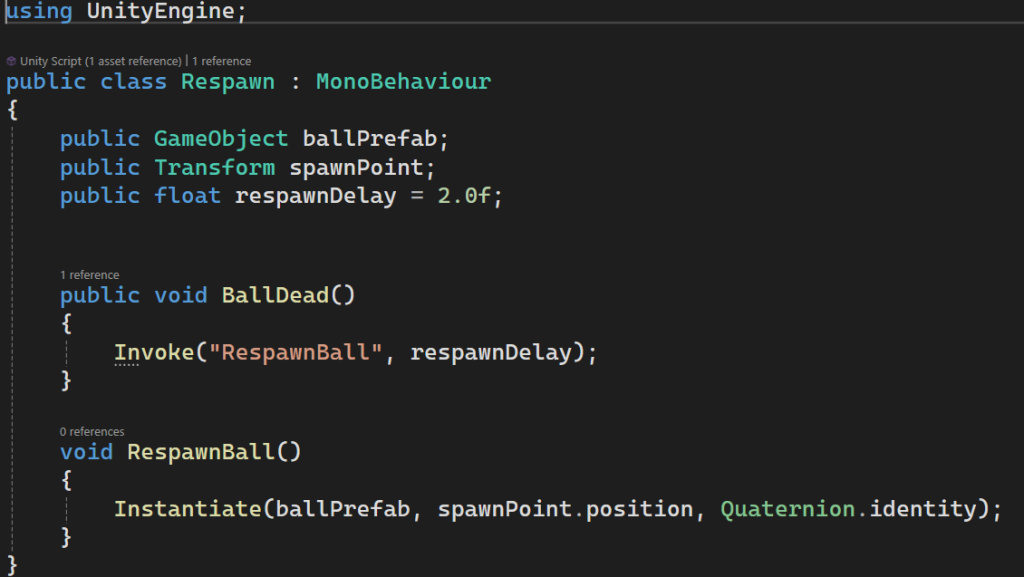
Link to dayplan on Invoke/Instantiate
11:55 Lunch

12:25 English with Mx. Yopp
1:10 Afternoon Break
1:25 Breakout Worksession
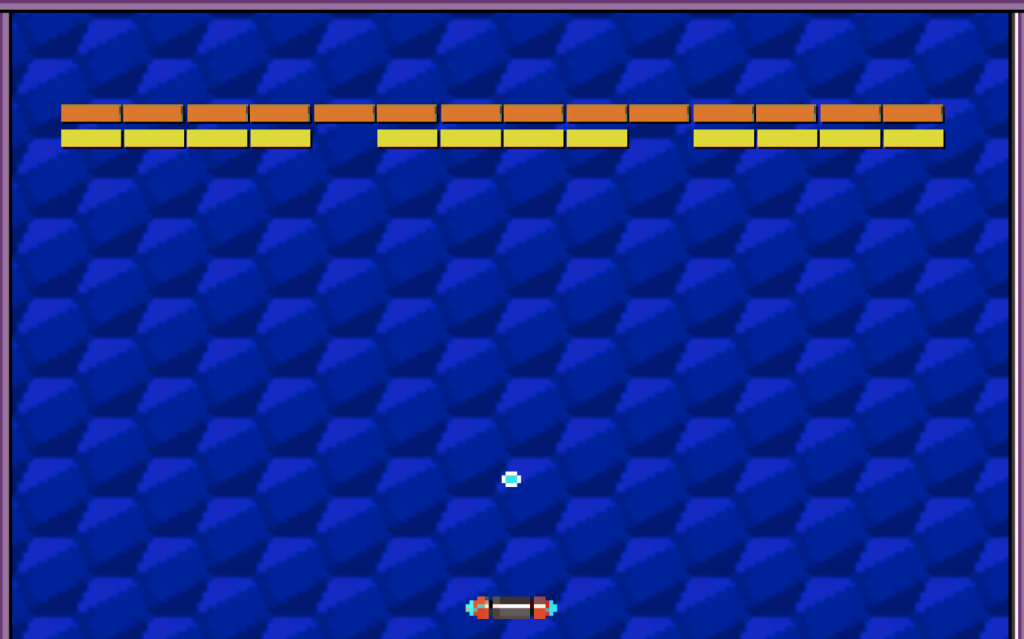
Time to finish up the deliverables. Check Google Classroom to make sure you have the details for a proper grade.
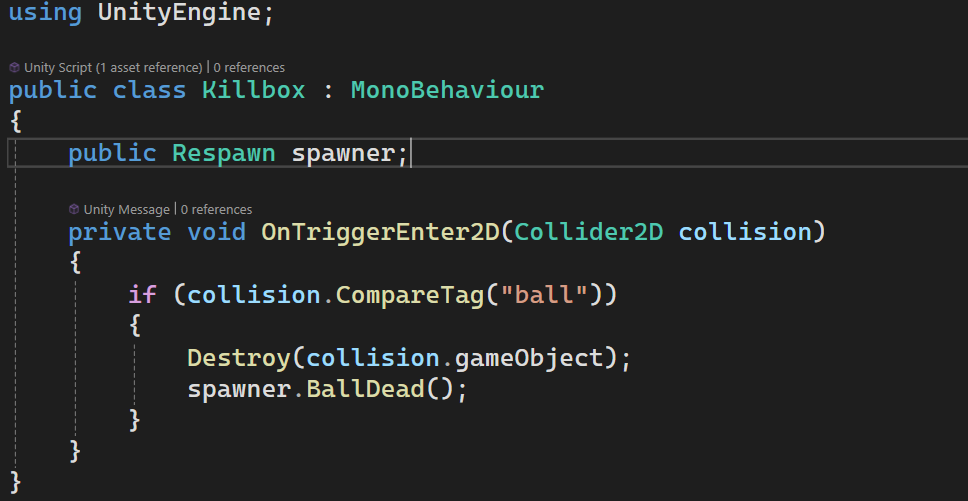
Respawn System
You’ll Need:
- A Respawn Point
- Empty Game Object – Name it Respawner and add the following respawn script
- A Killbox with a Collider set as a Trigger
2:10 Dailies

2:15 Independent Reading

2:40 Dismissal
